
We are launching on AppSumo soon. Join the waitlist to get first access to our best lifetime deal, plus an additional insane early-bird bonus offer.
- Early deal-live alert so you can act before the crowd
- Priority onboarding request link for faster time-to-value
- Exclusive Week-1 SEO and GEO execution checklist
Founder-list bonuses are limited and sent only to confirmed subscribers. No spam. We only send launch updates and deal access details.
Free Broken Link Checker
Stop losing traffic and rankings to dead links. Our free scanner identifies broken URLs and HTTP errors across your page in seconds.
Why Use Nuwtonic's Link Audit Tool?
Unlike basic scanners, Nuwtonic provides real-time HTTP status analysis. We help you distinguish between temporary server issues and permanent 404 errors, allowing you to fix technical SEO bottlenecks before they impact your site's authority.
What is a Broken Link Checker?
A broken link checker is a technical SEO utility that scans the HTML of a webpage to verify the accessibility of every outbound and internal link. It reports status codes like 200 (OK), 404 (Not Found), and 301 (Redirect).
How to Run a Link Audit
Enter the URL of the page you want to scan.
Click 'Start Scan' to begin the real-time link audit.
Review the list of broken, redirected, and working links.
Replace or remove any links returning 404 or 500 error codes.
Understanding Status Codes
200 - Working
The link is healthy and search engine crawlers can access it freely.
404 - Broken
The destination page doesn't exist. This is a critical SEO error.
301/302 - Redirect
The link points to a new location. Too many redirects can slow down a site.
Status code
The specific HTTP response returned by the destination server.
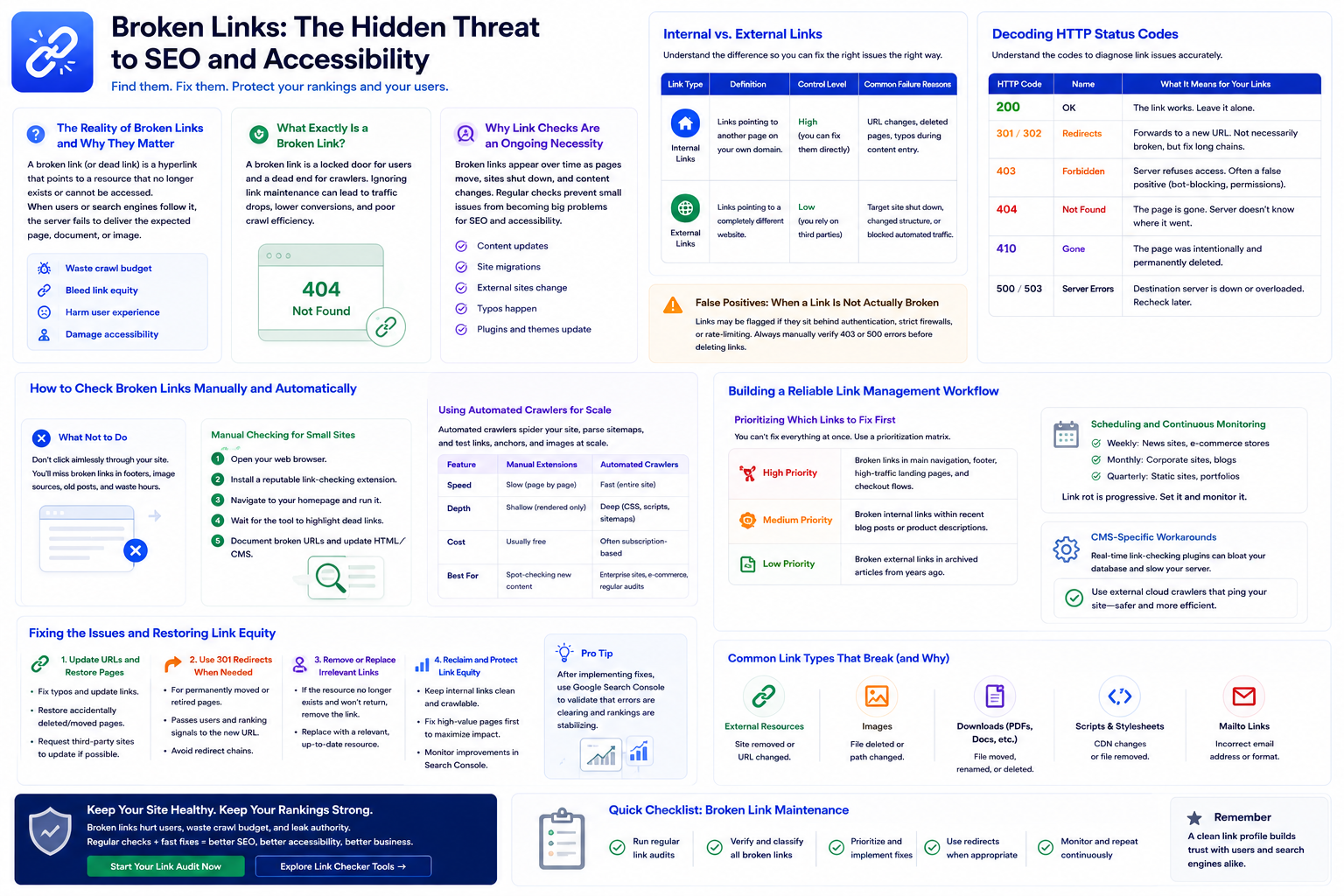
The Reality of Broken Links and Why They Matter
Most broken link problems are fixable with patience and a clear checklist. At its core, a broken link (or dead link) is a hyperlink that points to a resource that no longer exists or cannot be accessed. When a user or search engine follows it, the server fails to deliver the expected page, document, or image.
What Exactly Is a Broken Link?
A broken link is not just a technical glitch. It is a locked door for users relying on assistive technology and a dead end for crawlers trying to index your site. Organizations that treat link maintenance as an afterthought often discover the problem only after traffic, conversions, or crawl efficiency have already declined.
The Hidden Cost to Accessibility and SEO
When crawlers hit too many dead ends, they may abandon parts of your site audit and waste crawl budget. Broken links also bleed link equity—the authority passed from one page to another. From an accessibility standpoint, broken links destroy navigational flow. Imagine tabbing through 15 links via keyboard only to land on a 404 error. It is frustrating and severely diminishes trust.
Why Link Checks Are an Ongoing Necessity
During a large university portal launch early in my career, we spent months aligning CSS and ensuring WCAG compliance—but skipped a final check on the global footer. A single typo in the Admissions URL created thousands of dead links across the domain. The help desk was flooded within hours. That day confirmed what every technical SEO audit eventually reveals: checking links is not a one-time task. It is ongoing operational maintenance.
Internal vs. External Links
Before you fix anything, understand what you are checking. Links generally fall into two categories, and you handle them very differently.
| Link Type | Definition | Control Level | Common Failure Reasons |
|---|---|---|---|
| Internal Links | Links pointing to another page on your own domain. | High — you can fix them directly. | URL changes, deleted pages, typos during content entry. |
| External Links | Links pointing to a completely different website. | Low — you rely on third parties. | Target site shut down, changed URL structure, or blocked automated traffic. |
Decoding HTTP Status Codes
A link checker returns numbers that only help if you know what they mean. Understanding these codes is critical for diagnosing 404 errors and other SEO-related link failures.
| HTTP Code | Name | What It Means for Your Links |
|---|---|---|
| 200 | OK | The link works. Leave it alone. |
| 301 / 302 | Redirects | The link forwards to a new URL. Not necessarily broken, but long redirect chains should be fixed to preserve link equity. |
| 403 | Forbidden | The server refuses to show the page. Often a false positive caused by bot-blocking firewalls. |
| 404 | Not Found | The classic dead link. The page is gone and the server does not know where it went. |
| 410 | Gone | The page was intentionally and permanently deleted. |
| 500 / 503 | Server Errors | The destination server is crashing or overloaded. Recheck later before treating it as permanently broken. |
False Positives: When a Link Is Not Actually Broken
One common panic in SEO forums is thousands of broken links that turn out to be false positives. Crawlers behave differently than human browsers. A link may be flagged if it sits behind an authentication wall, or if strict servers rate-limit automated tools. Always manually verify a sample of 403 or 500 errors before deleting links.
How to Check Broken Links Manually and Automatically
What Not to Do
Do not click aimlessly through your site navigation hoping to stumble upon 404s. You will miss broken links hidden in footers, image sources, or old blog posts—and waste hours doing it.
Manual Checking for Small Sites
- Open your web browser.
- Install a reputable link-checking browser extension.
- Navigate to your homepage and run the extension.
- Wait for the tool to highlight dead links.
- Document broken URLs and update your HTML or CMS.
Using Automated Crawlers for Scale
For anything larger than a brochure site, manual checks are impractical. Automated crawlers spider your site architecture, parse sitemaps, and test anchor text and image sources. When evaluating tools, look for scheduled scanning and the ability to ignore specific URL parameters.
| Feature | Manual Browser Extensions | Automated Cloud Crawlers |
|---|---|---|
| Speed | Slow (page by page) | Fast (entire site in background) |
| Depth | Shallow (only rendered content) | Deep (CSS, scripts, sitemaps) |
| Cost | Usually free | Often subscription-based |
| Best For | Spot-checking a new blog post | Enterprise sites, e-commerce, regular audits |
Building a Reliable Link Management Workflow
Prioritizing Which Links to Fix First
Fixing the right broken link can significantly boost site credibility. You cannot fix everything at once—use a prioritization matrix.
| Priority Level | Criteria for Fixing |
|---|---|
| High Priority | Broken links in main navigation, footer, high-traffic landing pages, and checkout flows. |
| Medium Priority | Broken internal links within recent blog posts or product descriptions. |
| Low Priority | Broken external links in archived articles from years ago. |
Scheduling and Continuous Monitoring
Link rot is progressive. An external site you linked to today may shut down next month. Run audits automatically—weekly for news and e-commerce sites, monthly for standard corporate sites, and quarterly for static portfolios.
CMS-Specific Workarounds
If you use WordPress or similar CMS platforms, be wary of plugins that check links in real time. They run constantly in the background and can bloat your database and slow your server. External cloud-based crawlers that ping your site from the outside—mimicking a real user or Googlebot—are usually safer.
Fixing the Issues and Restoring Link Equity
Updating URLs and Restoring Pages
Once you have your list of 404s, the best fix is URL normalization. If a page was accidentally moved, move it back or correct the typo in the link. If an external resource moved, track down the new URL and update your anchor text.
Implementing Proper Redirects
If the original page is gone but you have a highly relevant alternative, use a 301 redirect. Avoid redirect chains (Page A → Page B → Page C). Crawlers dislike them, and they slow page load times for users.
Validate redirect behavior with our Redirect Checker before publishing changes.
Cleaning Up Anchor Text and Link Equity
Sometimes the best fix is deletion. If an external site goes offline and there is no good alternative, remove the link. Unlinking dead resources cleans up your code and prevents link equity from leaking into the void.
Integrate a dedicated Broken Link Checker into your monthly maintenance routine, and pair it with our On-Page SEO Audit Tool to catch broader technical issues.
Stop Fixing SEO Issues Manually.
Unlock Nuwtonic's Sitewise One-Click Audit & Fix to auto-apply optimizations directly to your CMS like WordPress, Webflow, or Shopify.
120+ Deep Checks
GSC-based optimizations for content, structure, and schema.
One-Click Auto Apply
Push optimized titles, meta tags, and content straight to your publishing workflow.
Broken Link FAQ
What counts as a broken link?
Any hyperlink returning a 404 (Not Found) or 410 (Gone) status code, links to images or PDFs that fail to load, and links that consistently return 500-level server errors or timeouts.
How do broken links affect Google rankings?
A few broken links will not destroy rankings, but a high volume signals a neglected site and can waste crawl budget, reduce indexation efficiency, and lower overall quality signals.
What is a 404 error?
A 404 error occurs when a server cannot find the requested URL. This usually happens when a page is deleted or its URL is changed without a redirect.
Should I delete or redirect broken links?
If there is a relevant replacement page, use a 301 redirect. If the content is gone forever with no alternative, remove the link entirely.
How do I avoid false positives?
Check robots.txt to ensure you are not blocking your own crawler, exclude login and admin directories from scans, and manually verify a sample of flagged external links in a normal browser window.
How often should I check for broken links?
High-publishing sites (news, e-commerce): weekly. Standard business websites: monthly. Static portfolio sites: quarterly.
Further References
Use these authoritative resources to validate link health workflows and keep your broken link audits aligned with current search and accessibility standards.
Try our other free SEO and AI tools
We have gathered some of our free tools that might help you in your SEO efforts.
Filter what tools to see
Free Meta Title Generator
Generate high-CTR title tags optimized for Google search results using AI-driven templates.
Free Keyword Clustering Tool
Group related keywords into clear topic clusters and build a stronger topical SEO plan.
AI Overview Keyword Finder
Detect keywords that trigger AI overviews and assess citation opportunities with volatility signals.
Low Competition Keyword Finder
Find weak SERPs, forum-heavy opportunities, and keywords where lower-authority sites can still win.
Reddit Keyword Finder
Extract recurring questions, pain points, and buying intent patterns from Reddit and forums.
Question Keyword Tool
Find FAQ-style keywords and common user questions.
Buyer Intent Keyword Finder
Specifically filters for commercial and transactional keywords.
Zero Search Volume Keyword Finder
Uncovers emerging or hidden keywords that traditional volume tools miss.
Free SEO Title Length Checker
Check if your page titles fit within pixel limits to avoid truncation.
Free Meta Description Generator
Create compelling meta descriptions that summarize your content and boost click-through rates.
Free Meta Description Length Checker
Check if your meta descriptions fit within pixel limits to avoid truncation.
Free Google SERP Preview Tool
Simulate how your page title and meta description may appear in Google search results.
Free Schema Markup Checker
Validate your structured data to ensure it is readable by search engines and error-free.
Free Rich Results Test
Determine if your page is eligible for rich results in Google Search with our validation tool.
Free Alt Text Checker
Identify missing, empty, or duplicate alt text values across images.
Free AI Alt Text Generator
Generate descriptive, accessibility-compliant alt text for your images instantly.
Free Image Filename Generator
Convert plain text into SEO-friendly, hyphenated image filenames.
Free On-Page SEO Audit Tool
Run an on-page SEO audit for SEO services pages, technical SEO audit checks, and SEO optimization improvements.
Free H1 Tag Checker
Identify the presence and content of H1 heading tags on any webpage.
Free Heading Structure Checker
Audit your H1-H6 tags to ensure a logical and SEO-friendly document structure.
Free Canonical URL Checker
Identify declared canonical URLs and analyze canonical-related signals on any page.
Free EEAT Audit Tool
Analyze your content for Google's Experience, Expertise, Authoritativeness, and Trustworthiness signals.
Free AIO & GEO Audit Tool
Optimize your content for AI Overviews and Search Generative Experience with a detailed formatting audit.
Free Redirect Checker
Analyze URL redirection behavior to identify redirect types and destination URLs.
Latest SEO and AI related articles
Browse all articles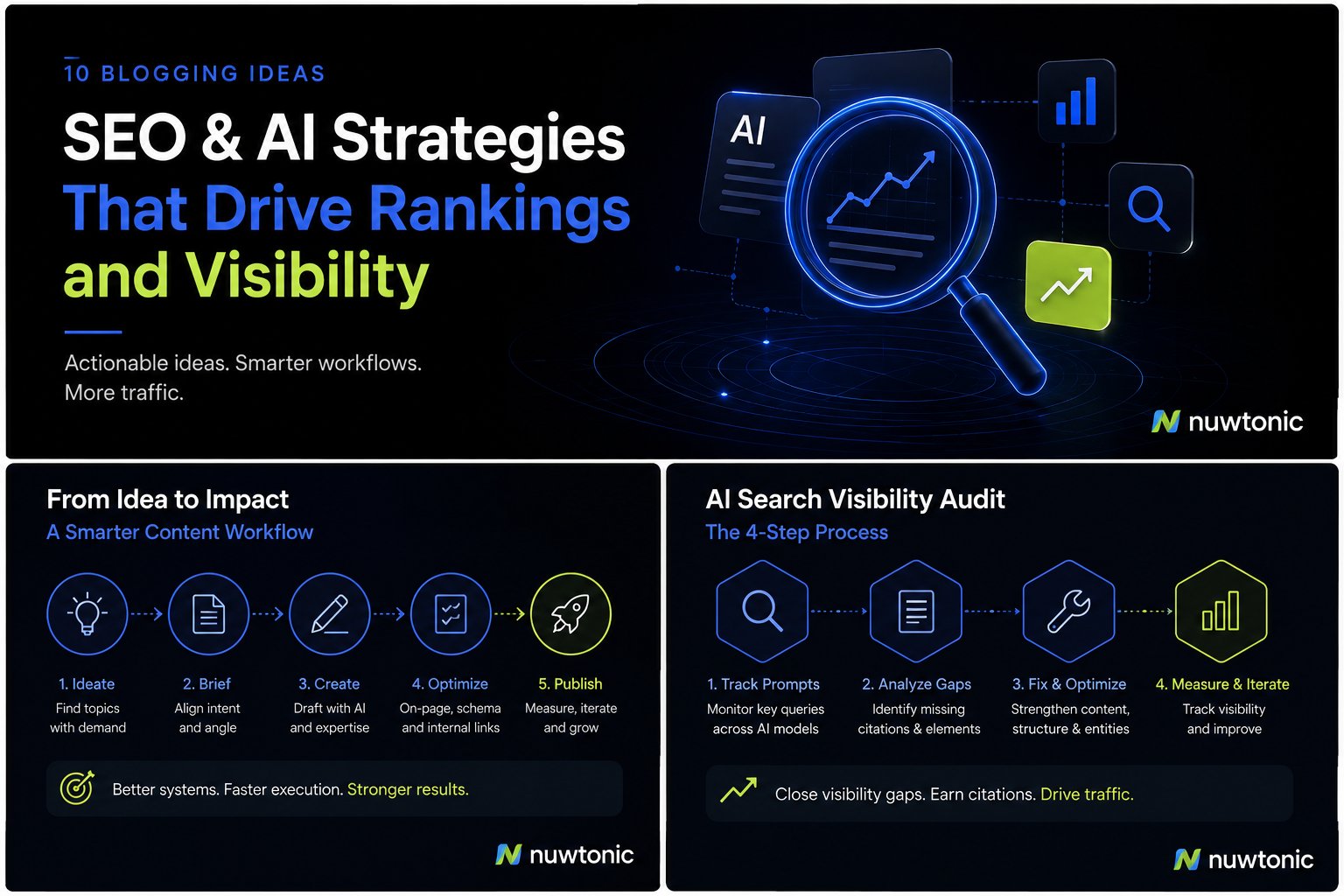
10 Ideas for Blogging: AI-Driven SEO and Content Strategies
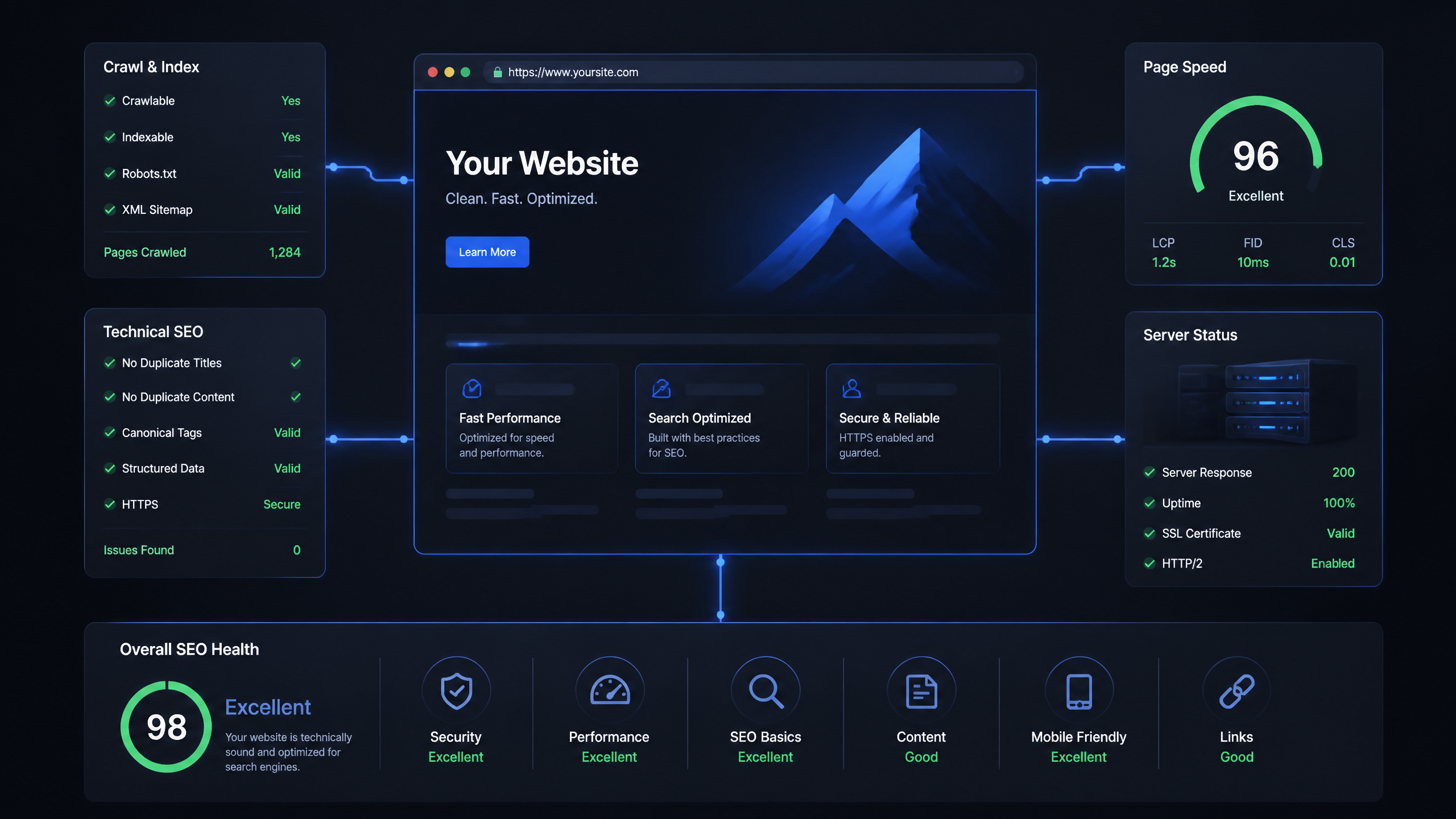
Technical SEO Ranking Factors: Hands On Guide

Technical SEO Types: Core Pillars of Site Health

Technical SEO for SaaS: A to Z Hands On Playbook

Technical SEO for Shopify: The No-Nonsense Playbook