
We are launching on AppSumo soon. Join the waitlist to get first access to our best lifetime deal, plus an additional insane early-bird bonus offer.
- Early deal-live alert so you can act before the crowd
- Priority onboarding request link for faster time-to-value
- Exclusive Week-1 SEO and GEO execution checklist
Founder-list bonuses are limited and sent only to confirmed subscribers. No spam. We only send launch updates and deal access details.
Free SEO Title Length Checker
Ensure your headlines are never cut off. Audit your page titles for perfect display in Google's desktop and mobile search results.
Example Page Title
Why Title Length is Critical for SEO
Your title is the most important element of your search result. If it's too long, Google will cut it off with an ellipsis (...), which can hide your primary keyword or brand name and significantly lower your click-through rate.
Data-Backed Title Auditing
Nuwtonic's Title Checker uses real-time pixel rendering to calculate exactly how much space your headline will take. Unlike basic character counters, we account for font widths and Google's latest display limits for 2025.
What is an SEO Title Length Checker?
An SEO title length checker is a specialized tool that evaluates your page''s '<'title'>' tag against search engine display standards. It measures both character count and pixel width to ensure full visibility.
How to Audit Your Title Length
Enter your page title or import it from a live URL.
Watch the pixel width and character count update as you type.
Ensure your title stays within the green 'Within Range' zone.
Adjust your copy until the live search preview looks perfect.
Understanding Your Title Results
Within range
Your title is perfectly optimized and should display fully in search results.
Potential Truncation
Your title exceeds ~600px and will likely be shortened by Google.
Optimal Length
Between 50-60 characters is the 'sweet spot' for most search engines.
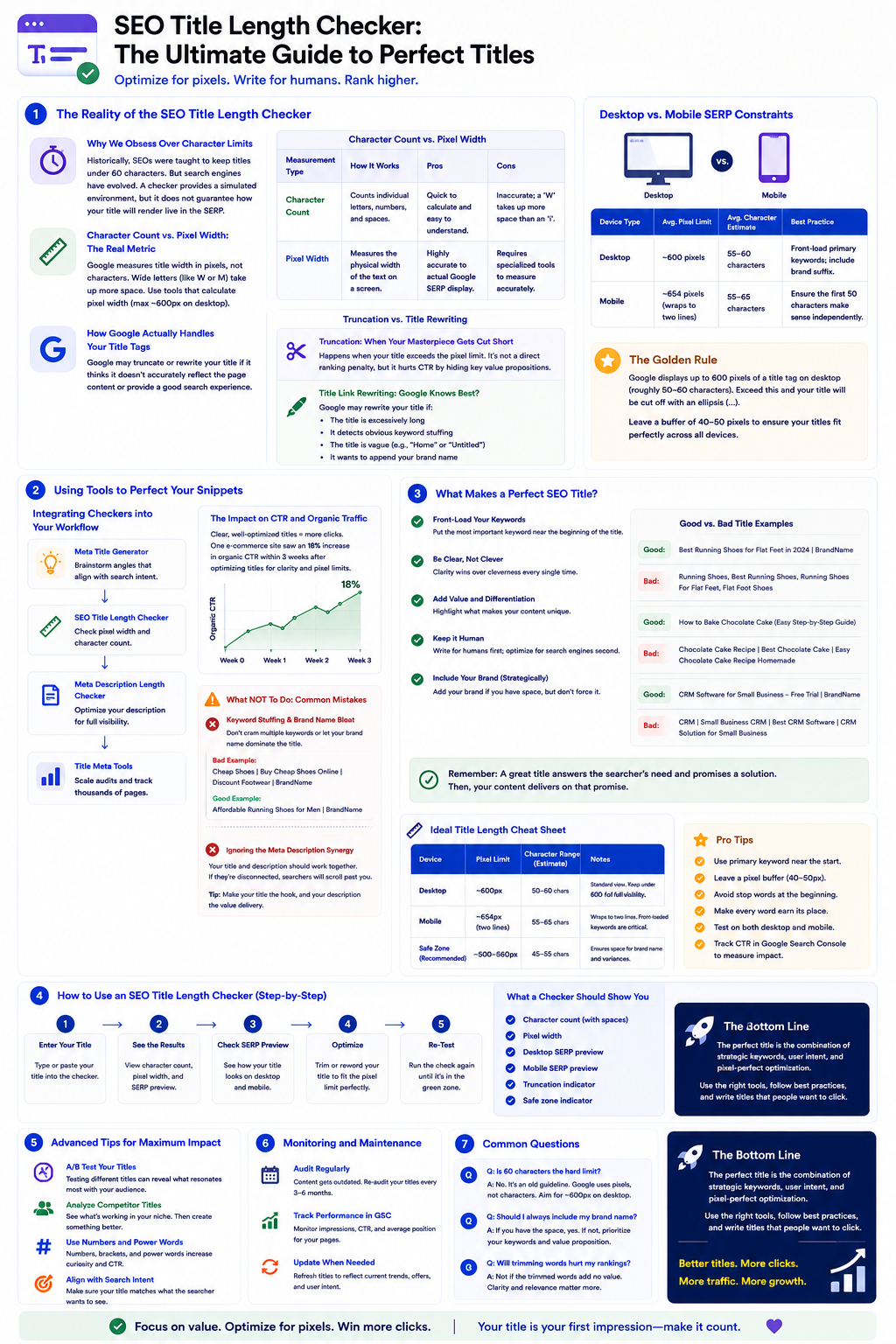
The Reality of the SEO Title Length Checker
Most people overthink title length — the key is clarity, not just character count. I cannot count the number of times I have audited an e-commerce site where the marketing team spent hours agonizing over a 59-character title, only to have it truncated because they used too many wide letters (like 'W' and 'M').
Why We Obsess Over Character Limits
Historically, SEOs were taught to keep titles under 60 characters. It was a simple, easily digestible rule. You plug your text into an SEO title length checker, it flashes green, and you publish. But search engines have evolved.
When you are optimizing snippets to drive organic traffic, a rigid character count is merely a baseline. A checker provides a simulated environment, but it does not guarantee how your title will render live in the SERP.
Character Count vs. Pixel Width: The Real Metric
Here is the technical reality: Google allocates a specific amount of screen real estate for title links, measured in pixels. If your title exceeds this width, it gets cut off and replaced with an ellipsis (...).
| Measurement Type | How It Works | Pros | Cons |
|---|---|---|---|
| Character Count | Counts individual letters, numbers, and spaces. | Quick to calculate and easy to understand. | Inaccurate; a 'W' takes up more space than an 'i'. |
| Pixel Width | Measures the physical width of the text on a screen. | Highly accurate to actual Google SERP display. | Requires specialized tools to measure accurately. |
If you use a checker that only counts characters, you are flying blind. You need a tool that calculates pixel width (typically maxing out around 600 pixels on desktop).
How Google Actually Handles Your Title Tags
Okay, so you have crafted the perfect title. It fits the pixel limit perfectly. But then you check the live search results, and Google has completely changed it. What happened?
Truncation: When Your Masterpiece Gets Cut Short
Truncation happens when your title exceeds the pixel limit. While truncation itself is not a direct ranking penalty, it severely impacts user experience. If the most compelling part of your value proposition is hidden behind an ellipsis, your CTR will plummet.
Title Link Rewriting: Google Knows Best?
According to official Google Search Central documentation on title links, Google may rewrite your title if it determines the HTML title tag does not accurately reflect the page content.
In my experience, Google rewrites titles when:
- The title is excessively long.
- It detects obvious keyword stuffing.
- The title is vaguely written (e.g., "Home" or "Untitled").
- It wants to append your brand name to the end of the snippet.
Desktop vs. Mobile SERP Constraints
Your audience is not browsing on a single device, which means your titles must be responsive to different environments.
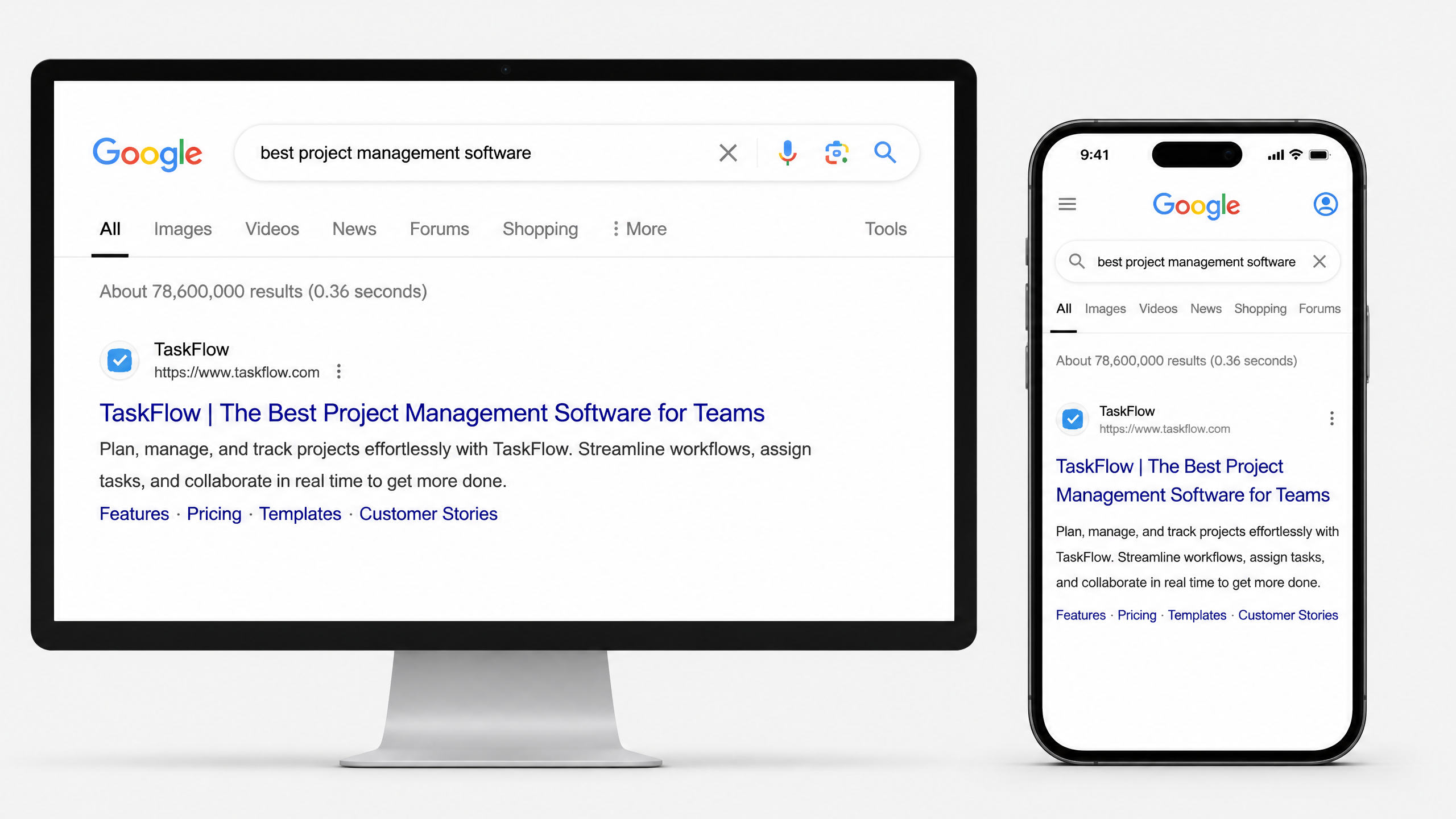
| Device Type | Average Pixel Limit | Average Character Estimate | Best Practice |
|---|---|---|---|
| Desktop | ~600 pixels | 55-60 characters | Front-load primary keywords; include brand suffix. |
| Mobile | ~654 pixels (wraps to two lines) | 55-65 characters | Ensure the first 50 characters make sense independently. |
Using Tools to Perfect Your Snippets
An SEO title length checker is only one piece of the puzzle. To truly optimize your workflow, you need a suite of capabilities that handle both ideation and technical constraints.
Integrating Checkers into Your Workflow
If you are staring at a blank screen trying to summarize a 2,000-word article into 60 characters, stop. If you're generating ideas, a Meta Title Generator is your first stop. It helps you brainstorm angles that align with search intent.
Once you have the title, you need to pair it with a solid description. I always run mine through a Meta Description Length Checker to ensure the entire snippet works together cohesively. A great title with a truncated, confusing description will still result in a high bounce rate.
To scale this across a site-wide audit, reliable Title Meta Tools are essential. You cannot manually check 5,000 product pages one by one.
The Impact on CTR and Organic Traffic
Let me share a quick anecdote. I once worked with a massive e-commerce client who insisted on using incredibly clever, pun-filled titles for their product categories. I've seen sites lose clicks because they focused too much on being clever instead of being clear. We swapped out their "clever" titles for clear, keyword-optimized titles that fit perfectly within the 600-pixel limit. Within three weeks, their organic CTR increased by 18%. Clarity wins. Every single time.
Here's What NOT To Do: Common Mistakes
Fair warning: fixing your title length won't save a fundamentally bad title. Here are the pitfalls you must avoid.
Keyword Stuffing and Brand Name Bloat
Do not try to cram three long-tail keywords into one title.
Bad Example:Cheap Shoes | Buy Cheap Shoes Online | Discount Footwear | BrandName
Good Example:Affordable Running Shoes for Men | BrandName
Furthermore, remember that Google often appends your site name automatically. If your title is exactly 600 pixels long and Google decides to add "- Nuwtonic" to the end, you will face truncation. Always leave a buffer of roughly 40-50 pixels if you aren't manually including your brand name.
Ignoring the Meta Description Synergy
Your title tag does not exist in a vacuum. It sits directly above your meta description. If your title asks a question, your description should tease the answer. If they are disconnected, searchers will scroll past you.
The Golden Rule of SEO Title Width and Length
Google does not measure your title's length by character count alone; it measures it by pixels. The search engine displays up to 600 pixels of a title tag on desktop screens, which usually translates to roughly 50 to 60 characters.
If you exceed this width, Google will cut your title off with an ellipsis (...). To ensure your titles fit perfectly across all devices and avoid awkward cuts, always preview your snippets using a Google SERP Preview Tool before publishing.
Where to Place Your Target Keywords
As a general rule, place your primary target keyword near the beginning of the title tag. This is known as "front-loading." Search engines and users read from left to right, meaning the first few words receive the most visual and algorithmic weight.
If you are struggling to write variations that fit within these tight pixel limits while maintaining high readability, utilizing a dedicated Meta Title Generator can streamline your brainstorming process.
Strategic Decisions: Branding, Freshness, and Formatting
Should Company Name Be in SEO Title?
Yes, but placement matters. For most businesses, the company name should go at the very end of the title tag, separated by a pipe (|) or a dash (-). However, the strategy changes depending on your brand's authority:
- For established brands (e.g., Nike, Apple): The brand name can come first because users actively search for it, and it establishes instant trust.
- For growing brands and startups: Keep the brand name at the end so your primary, high-value keywords occupy the front-loaded, high-impact space.
Does Adding the Year to the Title Help SEO Freshness?
In 2026, searchers are more critical than ever of outdated information. Adding the current year to your title tag (e.g., "Best SEO Strategies for [2026]") can dramatically improve CTR for time-sensitive topics, such as tech reviews, marketing guides, and annual industry reports.
Be warned, though: do not simply change the year in the title without updating the content on the page. If users click your title expecting fresh insights and find outdated statistics from years ago, they will bounce immediately, signaling to Google that your page does not satisfy user intent.
Does All Caps in an Article Title Hurt SEO?
While using ALL CAPS in your title might seem like a clever way to stand out in a sea of search results, it usually hurts your performance. First, search engines may flag all-caps titles as spammy or low-quality. Second, all-caps text is significantly harder for humans to read quickly. Finally, screen readers used by visually impaired visitors may read all-caps words letter-by-letter (e.g., S-E-O instead of "SEO"), which ruins the accessibility of your website.
Advanced Title Optimization and Common Dilemmas
Does Changing Page Title Affect SEO?
Absolutely. Changing an established page's title is one of the fastest ways to alter its search rankings—for better or for worse. When you change a title tag, search engines must crawl and re-evaluate the page.
| Scenario | Potential Pros | Potential Cons / Risks |
|---|---|---|
| Optimizing an underperforming page | Boosts rankings, improves search intent match, increases CTR. | Minimal risk, as the page is already performing poorly. |
| Changing a top-ranking page | May capture additional long-tail keywords. | Risk of losing existing top rankings if core keywords are removed. |
Do Duplicate Page Titles Affect SEO?
Yes, duplicate page titles are a major technical SEO issue. When multiple pages on your site share the exact same title tag, search engines struggle to understand which page is the most relevant for a given search query. This confusion can result in keyword cannibalization, where your own pages compete against one another in search rankings, ultimately dragging down the performance of both pages.
Should H1 Be the Blog Title for SEO?
They do not have to be identical, but they should be closely aligned. The H1 tag is the primary heading displayed on the webpage itself, while the SEO title is displayed on the SERPs.
| Feature | SEO Title (Meta Title) | H1 Heading |
|---|---|---|
| Primary Audience | Search engine users and crawlers | On-page readers |
| Character Limits | Strict (approx. 50-60 characters) | Flexible |
| Goal | Drive clicks from search engines | Encourage reading and engagement |
Psychological Triggers and Platform-Specific Title Rules
How Can I Use Emotional Triggers in My SEO Titles?
To drive clicks, your titles should tap into basic human psychology. You can do this by leveraging triggers like curiosity, urgency, or simplicity.
I remember once writing a title for an enterprise client: "An Analytical Assessment of Digital Optimization Methodologies." It got virtually zero organic clicks in its first month. We changed it to "5 Simple Ways to Speed Up Your Website" and organic traffic skyrocketed by over 400% in weeks. Speak like a real human, not a dry textbook.
How to Write Page Titles for SEO eCommerce
E-commerce page titles require a highly structured approach because they often target transactional search queries.
For product pages, use a standardized formula that includes key attributes:
- •Brand Name (e.g., Sony)
- •Product Model (e.g., WH-1000XM4)
- •Product Type (e.g., Wireless Headphones)
- •Key Feature/Color (e.g., Noise-Canceling, Black)
This structure ensures that you match specific search parameters used by consumers who are ready to make a purchase.
What Is OG Title in SEO and Social Media?
An OG (Open Graph) title is an HTML tag that tells social media networks (like Facebook and LinkedIn) how to display your page title when it is shared on their platforms. Because social media feeds are highly visual and do not rely on search engine keywords, your OG title can be more conversational, provocative, or click-enticing than your strict, keyword-focused SEO title.
What Is the Best SEO Practice for Title on Amazon?
Amazon's search engine operates entirely differently than Google. While Google values concise titles that prevent truncation, Amazon's algorithm rewards highly descriptive, keyword-rich titles that can be up to 200 characters long. When writing Amazon titles, front-load your brand name and primary keywords, but make sure to include key product details like material, size, quantity, and color directly in the title to match Amazon's internal search filters.
Modern Title Workflows: AI and A/B Testing
How to Write SEO Friendly Titles with ChatGPT
Generative AI is an incredibly powerful brainstorming partner for title creation. To get the best results, avoid generic prompts. Instead, feed the AI your primary keyword, target audience, and strict character limits.
Always review AI-generated titles closely. AI tools have a tendency to rely on over-the-top, clickbait-style adjectives that can erode user trust. Refine the output to ensure it sounds natural, professional, and accurate to the page content.
How to A/B Test SEO Page Titles
SEO A/B testing involves running a title variation on a page (or a group of templated pages) and comparing its performance against a historical baseline or a control group. When testing, monitor changes in your organic impressions, CTR, and average position.
To ensure your search snippets look cohesive during these tests, use a Meta Description Generator to align your meta description with your new title variations.
TL;DR Summary and Key Takeaways
- An SEO title is an HTML element that acts as the clickable blue link on search engine results pages.
- Optimal length is roughly 50 to 60 characters (or 600 pixels) to prevent truncation.
- Front-load keywords to maximize search engine visibility and user relevance.
- Avoid ALL CAPS and keyword stuffing, as they harm usability and look spammy.
- Align search intent with your title to ensure users find what they expect, reducing bounce rates.
Frequently Asked Questions About SEO Titles
Common Title Tag SEO Questions Answered
What is an SEO title length checker?
An SEO title length checker is a tool that evaluates your HTML title tag to predict if it will display fully in search engine results pages (SERPs) without being truncated.
How many characters should an SEO title be?
While 55-60 characters is the standard rule of thumb, it is better to measure by pixel width (aiming for under 600 pixels on desktop) because different characters take up different amounts of visual space.
Does changing a page title affect SEO?
Yes. Changing your page title triggers a re-evaluation by search engines, which can cause ranking fluctuations. Only change titles if a page is underperforming or if search intent has changed.
Do duplicate page titles hurt SEO?
Yes. Duplicate titles make it difficult for search engine crawlers to distinguish between your pages, often causing keyword cannibalization.
Should the company name come first in an SEO title?
For most brands, the company name should go at the end of the title. Only place it first if you have massive, household-name brand recognition.
Does Google always show the exact title tag?
No. Google frequently rewrites title links based on the user's search query, the page's H1 tag, or to append a brand name. Ensuring your title is concise and relevant reduces the chance of unwanted rewrites.
Is pixel width more accurate than character count?
Yes. Since characters like 'M' are wider than 'i', pixel width is the only way to be 100% sure your title won't be cut off.
How do I check the title of a live page?
Use our 'Import from URL' tab to instantly fetch and analyze the title of any webpage on the internet.
Further References
For further reading on how search engines handle your metadata, I highly recommend reviewing these authoritative resources:
Try our other free SEO and AI tools
We have gathered some of our free tools that might help you in your SEO efforts.
Filter what tools to see
Free Meta Title Generator
Generate high-CTR title tags optimized for Google search results using AI-driven templates.
Free Keyword Clustering Tool
Group related keywords into clear topic clusters and build a stronger topical SEO plan.
AI Overview Keyword Finder
Detect keywords that trigger AI overviews and assess citation opportunities with volatility signals.
Low Competition Keyword Finder
Find weak SERPs, forum-heavy opportunities, and keywords where lower-authority sites can still win.
Reddit Keyword Finder
Extract recurring questions, pain points, and buying intent patterns from Reddit and forums.
Question Keyword Tool
Find FAQ-style keywords and common user questions.
Buyer Intent Keyword Finder
Specifically filters for commercial and transactional keywords.
Zero Search Volume Keyword Finder
Uncovers emerging or hidden keywords that traditional volume tools miss.
Free Meta Description Generator
Create compelling meta descriptions that summarize your content and boost click-through rates.
Free Meta Description Length Checker
Check if your meta descriptions fit within pixel limits to avoid truncation.
Free Google SERP Preview Tool
Simulate how your page title and meta description may appear in Google search results.
Free Schema Markup Checker
Validate your structured data to ensure it is readable by search engines and error-free.
Free Rich Results Test
Determine if your page is eligible for rich results in Google Search with our validation tool.
Free Alt Text Checker
Identify missing, empty, or duplicate alt text values across images.
Free AI Alt Text Generator
Generate descriptive, accessibility-compliant alt text for your images instantly.
Free Image Filename Generator
Convert plain text into SEO-friendly, hyphenated image filenames.
Free On-Page SEO Audit Tool
Run an on-page SEO audit for SEO services pages, technical SEO audit checks, and SEO optimization improvements.
Free H1 Tag Checker
Identify the presence and content of H1 heading tags on any webpage.
Free Heading Structure Checker
Audit your H1-H6 tags to ensure a logical and SEO-friendly document structure.
Free Canonical URL Checker
Identify declared canonical URLs and analyze canonical-related signals on any page.
Free EEAT Audit Tool
Analyze your content for Google's Experience, Expertise, Authoritativeness, and Trustworthiness signals.
Free AIO & GEO Audit Tool
Optimize your content for AI Overviews and Search Generative Experience with a detailed formatting audit.
Free Broken Link Checker
Scan a page to identify links that return error responses or cannot be reached.
Free Redirect Checker
Analyze URL redirection behavior to identify redirect types and destination URLs.
Latest SEO and AI related articles
Browse all articles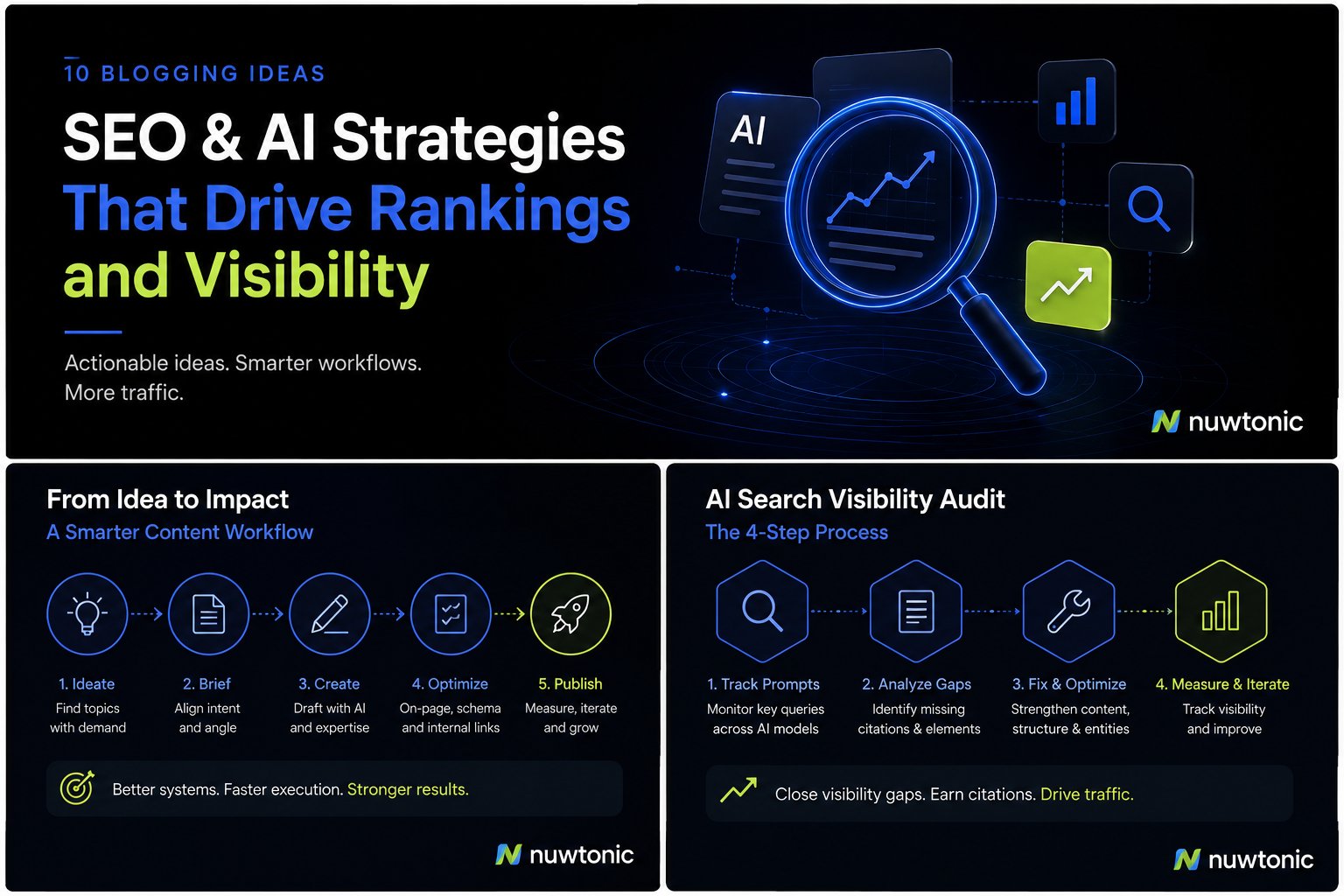
10 Ideas for Blogging: AI-Driven SEO and Content Strategies
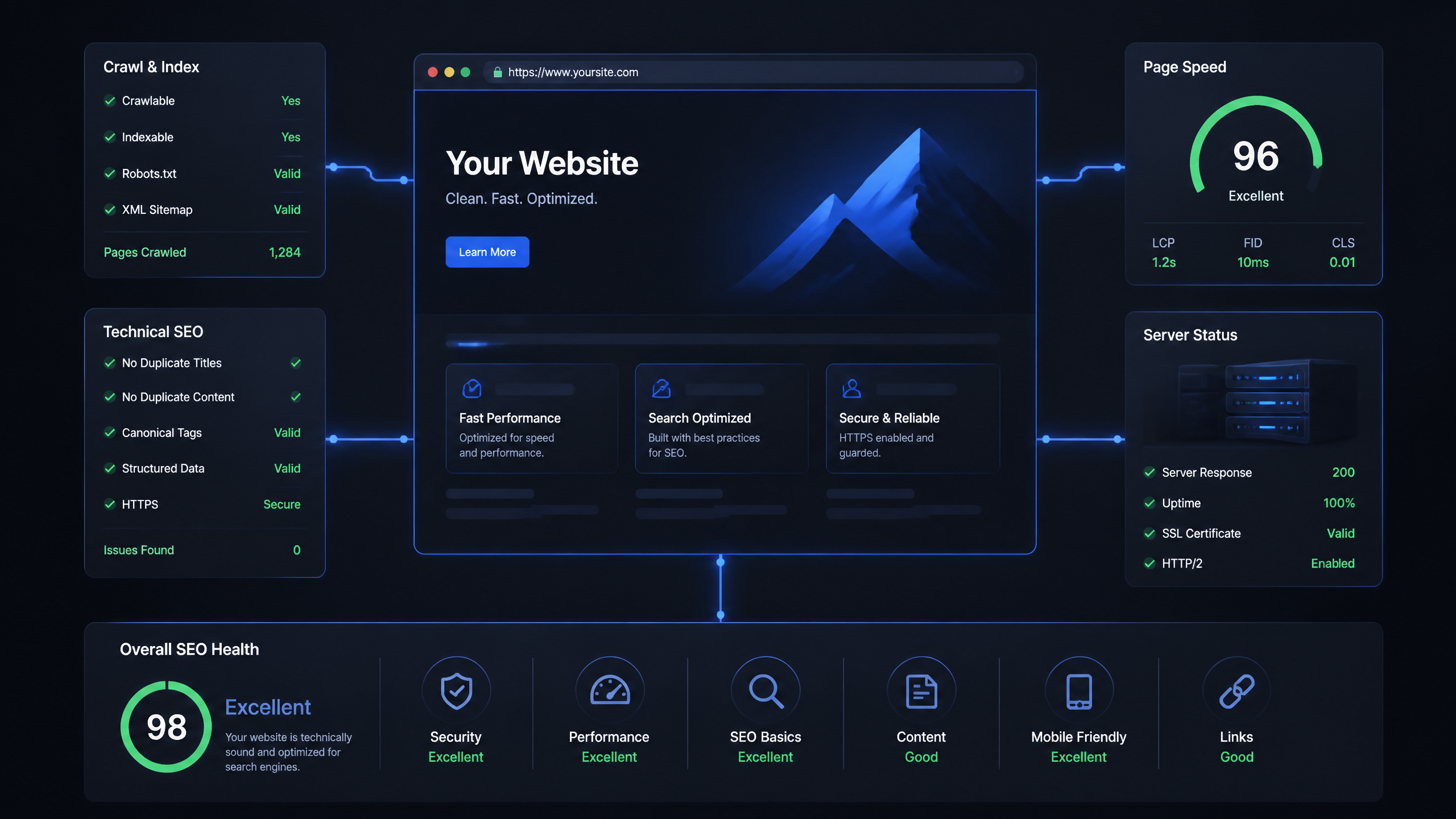
Technical SEO Ranking Factors: Hands On Guide

Technical SEO Types: Core Pillars of Site Health

Technical SEO for SaaS: A to Z Hands On Playbook
Technical SEO for Shopify: The No-Nonsense Playbook