
We are launching on AppSumo soon. Join the waitlist to get first access to our best lifetime deal, plus an additional insane early-bird bonus offer.
- Early deal-live alert so you can act before the crowd
- Priority onboarding request link for faster time-to-value
- Exclusive Week-1 SEO and GEO execution checklist
Founder-list bonuses are limited and sent only to confirmed subscribers. No spam. We only send launch updates and deal access details.
Free Google SERP Preview Tool
Visualize your search snippet before you publish. Optimize your meta titles and descriptions for maximum clicks and perfect display.
Page Title
Why Your Search Snippet is Your Sales Pitch
Your SERP snippet is the first interaction a user has with your brand. Even if you rank #1, a poorly formatted title or description that gets truncated (cut off) can drastically reduce your click-through rate (CTR).
Recommended guides
Use these guides to fix the issues you found and improve your SEO performance.
Accurate SERP Simulation
Nuwtonic's SERP Preview tool uses real-world pixel-width calculations, not just character counts. We provide an accurate representation of how Google's desktop results look today, including date formats and URL structure.
What is a SERP Preview Tool?
A SERP (Search Engine Results Page) preview tool is an SEO simulator that takes your metadata and displays it exactly as it would appear on Google. It helps you check if your titles and descriptions fit within the visual limits.
How to Optimize Your Search Snippet
Enter your page title, meta description, and URL.
Watch the live preview update as you type.
Check for red 'Truncated' indicators to avoid being cut off.
Adjust your copy until the preview looks perfect for desktop users.
Understanding Your Preview
Title truncated
The title exceeds the ~600px limit and will be shortened with '...' by Google.
Description truncated
The description exceeds the ~960px limit on desktop results.
Optimal display
Both elements fit perfectly within the current Google search display standards.
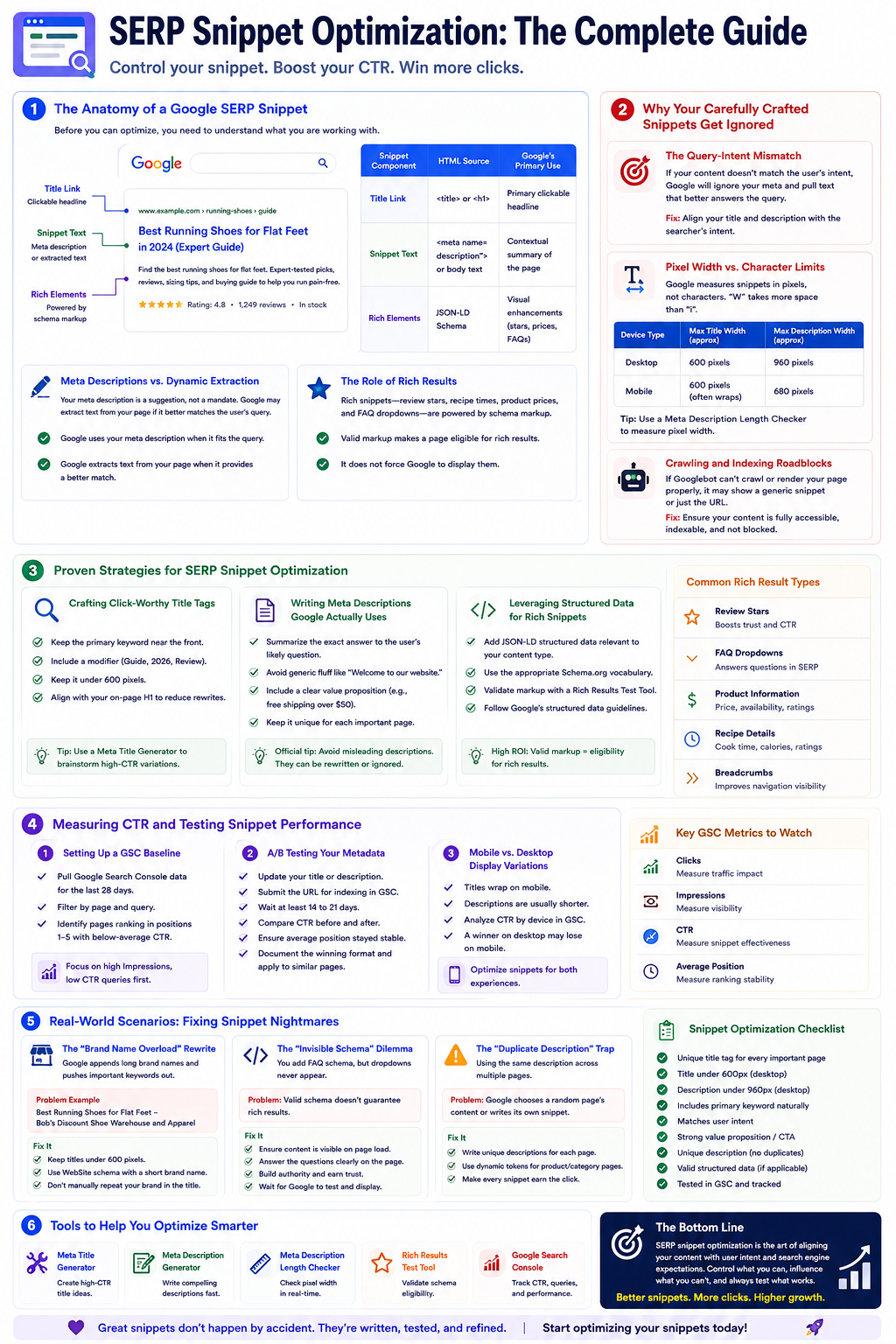
The Anatomy of a Google SERP Snippet
Before you can optimize, you need to understand what you are working with. A standard search snippet is not just a title and description anymore; it is a dynamic assembly of elements that Google builds from multiple on-page signals.
Title Links (and Why Google Rewrites Them)
The title link is the clickable blue headline in search results. According to Google Search Central, title links are generated automatically. Google recommends unique title elements for each page so users and crawlers can distinguish one result from another. However, Google does not always use your HTML title tag. If your title is too long, keyword-stuffed, or irrelevant to the query, Google may rewrite it using your H1 or anchor text instead.
| Snippet Component | HTML Source | Google's Primary Use |
|---|---|---|
| Title Link | <title> or <h1> | Primary clickable headline |
| Snippet Text | <meta name="description"> or body text | Contextual summary of the page |
| Rich Elements | JSON-LD Schema | Visual enhancements (stars, prices, FAQs) |
Meta Descriptions vs. Dynamic Extraction
Your meta description is a suggestion, not a mandate. Google Search Central states that snippet text can change depending on the user's query. If Google finds a paragraph in your body content that better answers the exact search phrase, it may extract that text and ignore your hand-crafted meta tag entirely.
The Role of Rich Results
Rich snippets—review stars, recipe times, product prices, and FAQ dropdowns—are powered by schema markup. They can dramatically improve visibility. Valid markup makes a page eligible for rich results, but it does not force Google to display them.
Why Your Carefully Crafted Snippets Get Ignored
Early in my career, I spent three days crafting the perfect meta description for a major e-commerce category page. We published it, and a week later Google ignored it completely, showing random navigation text instead.
The Query-Intent Mismatch
The most common reason Google ignores your metadata is intent mismatch. If a user searches for "how to fix a leaky faucet" and your description talks broadly about "the best plumbing services in Ohio," Google will bypass it and pull exact fix instructions from your page content instead.
Pixel Width vs. Character Limits
Many guides overcomplicate snippet optimization. One essential tweak is understanding space. Titles are often described as 60 characters and descriptions as 160 characters—but Google measures snippets in pixels, not characters. A "W" takes much more horizontal space than an "i."
| Device Type | Max Title Width (approx) | Max Description Width (approx) |
|---|---|---|
| Desktop | 600 pixels | 960 pixels |
| Mobile | 600 pixels (often wraps) | 680 pixels |
If you want to ensure your text is not truncated, measure pixel width. Run drafts through a reliable Meta Description Length Checker before publishing.
Crawling and Indexing Roadblocks
If Googlebot cannot crawl your page due to robots.txt blocks or heavy JavaScript rendering issues, it cannot generate an accurate snippet. In those cases, Google may show only the URL or a generic message. Ensure your content is fully accessible.
Proven Strategies for SERP Snippet Optimization
Crafting Click-Worthy Title Tags
- Keep the primary keyword near the front.
- Include a modifier (for example, Guide, 2026, Review).
- Keep it under 600 pixels.
- Align it closely with the on-page H1 to reduce rewrites.
If ideation is difficult, a Meta Title Generator can help you test variations that balance SEO relevance and click appeal.
Writing Meta Descriptions Google Actually Uses
- Summarize the exact answer to the user's likely question.
- Avoid generic marketing fluff like "Welcome to our website."
- Include a clear value proposition (for example, free shipping over $50).
As noted in official snippet documentation, avoiding misleading descriptions improves search result quality and reduces algorithmic rewrites.
Leveraging Structured Data for Rich Snippets
Adding JSON-LD structured data is one of the highest ROI tasks in snippet optimization. Whether you run an e-commerce product page, recipe blog, or local business site, implement the appropriate Schema.org vocabulary.
Always validate markup with a Rich Results Test Tool and follow Google's structured data guidelines to avoid syntax errors that block eligibility.
Measuring CTR and Testing Snippet Performance
Setting Up a GSC Baseline
Optimization is useless without measurement. Before changing snippets, pull Google Search Console performance data for the last 28 days and filter by page and query.
Identify pages ranking in positions 1-5 with below-average CTR. These are your highest-priority snippet optimization targets.
A/B Testing Your Metadata
SEO testing requires patience. After updating a title or description, submit the URL for indexing in GSC and wait at least 14 to 21 days.
- Compare CTR before and after the change.
- Ensure average position stayed relatively stable.
- Document the winning format and apply it to similar pages.
Mobile vs. Desktop Display Variations
Snippets render differently on mobile. Titles often wrap to two lines and descriptions may be shorter. When analyzing CTR in GSC, segment by device—a snippet that performs well on desktop may truncate badly on iPhone.
Real-World Scenarios: Fixing Snippet Nightmares
The "Brand Name Overload" Rewrite
You write a clean title like "Best Running Shoes for Flat Feet," but Google displays "Best Running Shoes for Flat Feet - Bob's Discount Shoe Warehouse and Apparel."
Google often appends brand names automatically. If your site name is too long, it truncates your keyword focus.
Use WebSite schema to define a short, concise alternate brand name.
The "Invisible Schema" Dilemma
You add FAQ schema, but dropdowns never appear in SERPs.
Valid schema does not guarantee rich results. Google also evaluates page quality and visibility. Ensure schema text is visible on load—not hidden behind JavaScript interactions.
| Problem | Likely Cause | Solution |
|---|---|---|
| Title rewritten to H1 | <title> is too long or keyword stuffed | Shorten title and align closer to H1 intent |
| Description ignored | Mismatch with user query intent | Write query-specific descriptions with natural target keywords |
| Rich results missing | Schema errors or low page quality | Validate schema and improve overall E-E-A-T signals |
SERP Preview FAQ
What elements can Google use to build a snippet?
Google primarily uses the title tag and meta description, but it can also use H1-H6 headings, body paragraph text, anchor text pointing to the page, and structured data (JSON-LD) to construct the final SERP display.
How long should a title tag or meta description be?
Titles should generally stay under 600 pixels (roughly 50-60 characters). Meta descriptions should stay under 960 pixels on desktop (roughly 150-160 characters). Always measure by pixel width for accuracy.
Does Google always show the meta description I write?
No. Google frequently rewrites descriptions when another on-page snippet better matches the user's query.
Does schema markup guarantee a rich snippet?
No. Structured data makes a page eligible for rich results, but Google decides whether displaying rich elements improves the search experience.
Can I import metadata from an existing URL?
Yes. Use the Import from URL tab to preview how a live page currently appears in search results.
How do I increase my organic CTR?
Use a compelling title, include a clear benefit in your description, validate pixel limits with this preview tool, and test changes in Google Search Console.
Further References
Use these authoritative resources to validate snippet behavior and keep your SERP preview workflow aligned with current Google documentation.
Try our other free SEO and AI tools
We have gathered some of our free tools that might help you in your SEO efforts.
Filter what tools to see
Free Meta Title Generator
Generate high-CTR title tags optimized for Google search results using AI-driven templates.
Free Keyword Clustering Tool
Group related keywords into clear topic clusters and build a stronger topical SEO plan.
AI Overview Keyword Finder
Detect keywords that trigger AI overviews and assess citation opportunities with volatility signals.
Low Competition Keyword Finder
Find weak SERPs, forum-heavy opportunities, and keywords where lower-authority sites can still win.
Reddit Keyword Finder
Extract recurring questions, pain points, and buying intent patterns from Reddit and forums.
Question Keyword Tool
Find FAQ-style keywords and common user questions.
Buyer Intent Keyword Finder
Specifically filters for commercial and transactional keywords.
Zero Search Volume Keyword Finder
Uncovers emerging or hidden keywords that traditional volume tools miss.
Free SEO Title Length Checker
Check if your page titles fit within pixel limits to avoid truncation.
Free Meta Description Generator
Create compelling meta descriptions that summarize your content and boost click-through rates.
Free Meta Description Length Checker
Check if your meta descriptions fit within pixel limits to avoid truncation.
Free Schema Markup Checker
Validate your structured data to ensure it is readable by search engines and error-free.
Free Rich Results Test
Determine if your page is eligible for rich results in Google Search with our validation tool.
Free Alt Text Checker
Identify missing, empty, or duplicate alt text values across images.
Free AI Alt Text Generator
Generate descriptive, accessibility-compliant alt text for your images instantly.
Free Image Filename Generator
Convert plain text into SEO-friendly, hyphenated image filenames.
Free On-Page SEO Audit Tool
Run an on-page SEO audit for SEO services pages, technical SEO audit checks, and SEO optimization improvements.
Free H1 Tag Checker
Identify the presence and content of H1 heading tags on any webpage.
Free Heading Structure Checker
Audit your H1-H6 tags to ensure a logical and SEO-friendly document structure.
Free Canonical URL Checker
Identify declared canonical URLs and analyze canonical-related signals on any page.
Free EEAT Audit Tool
Analyze your content for Google's Experience, Expertise, Authoritativeness, and Trustworthiness signals.
Free AIO & GEO Audit Tool
Optimize your content for AI Overviews and Search Generative Experience with a detailed formatting audit.
Free Broken Link Checker
Scan a page to identify links that return error responses or cannot be reached.
Free Redirect Checker
Analyze URL redirection behavior to identify redirect types and destination URLs.
Latest SEO and AI related articles
Browse all articles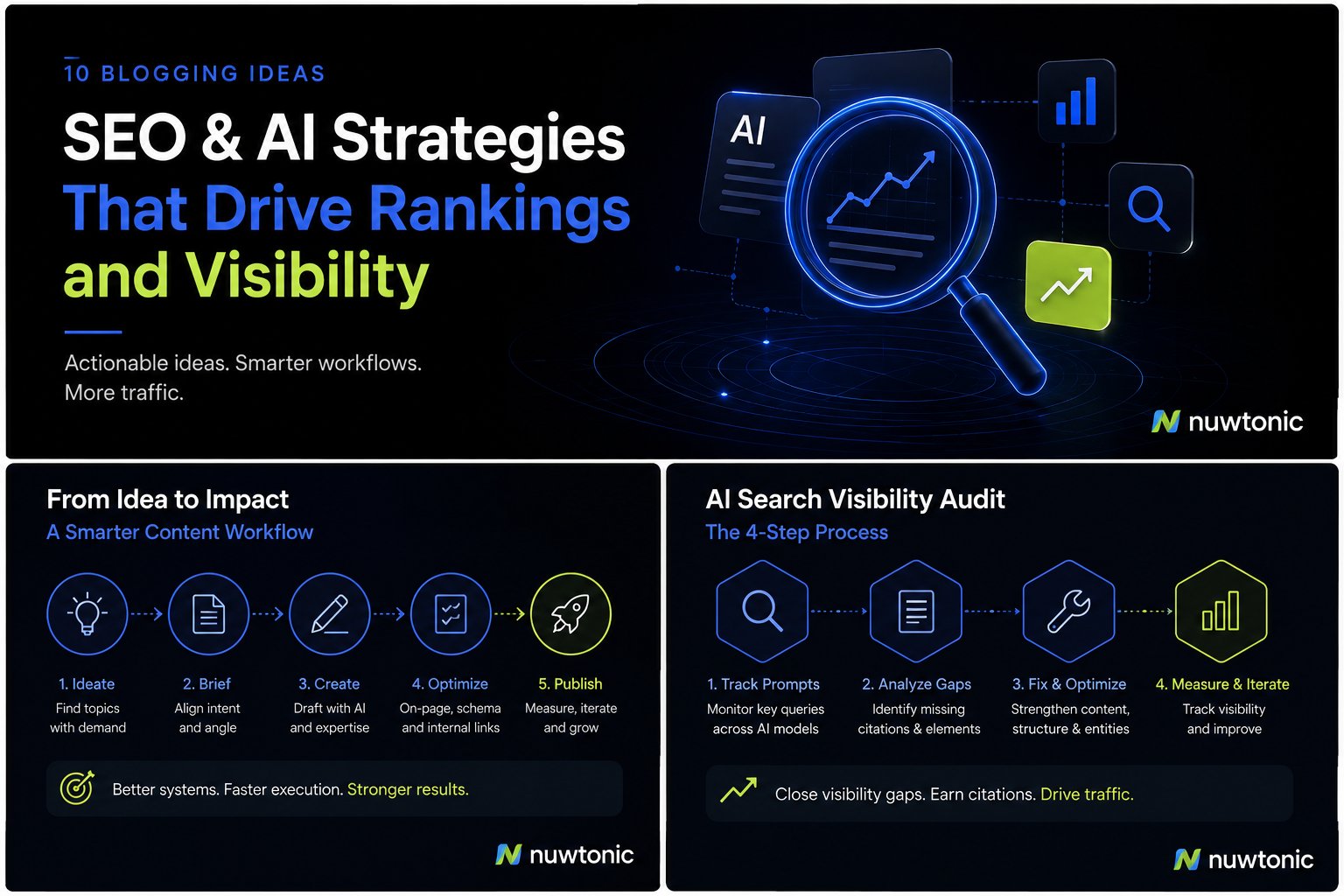
10 Ideas for Blogging: AI-Driven SEO and Content Strategies
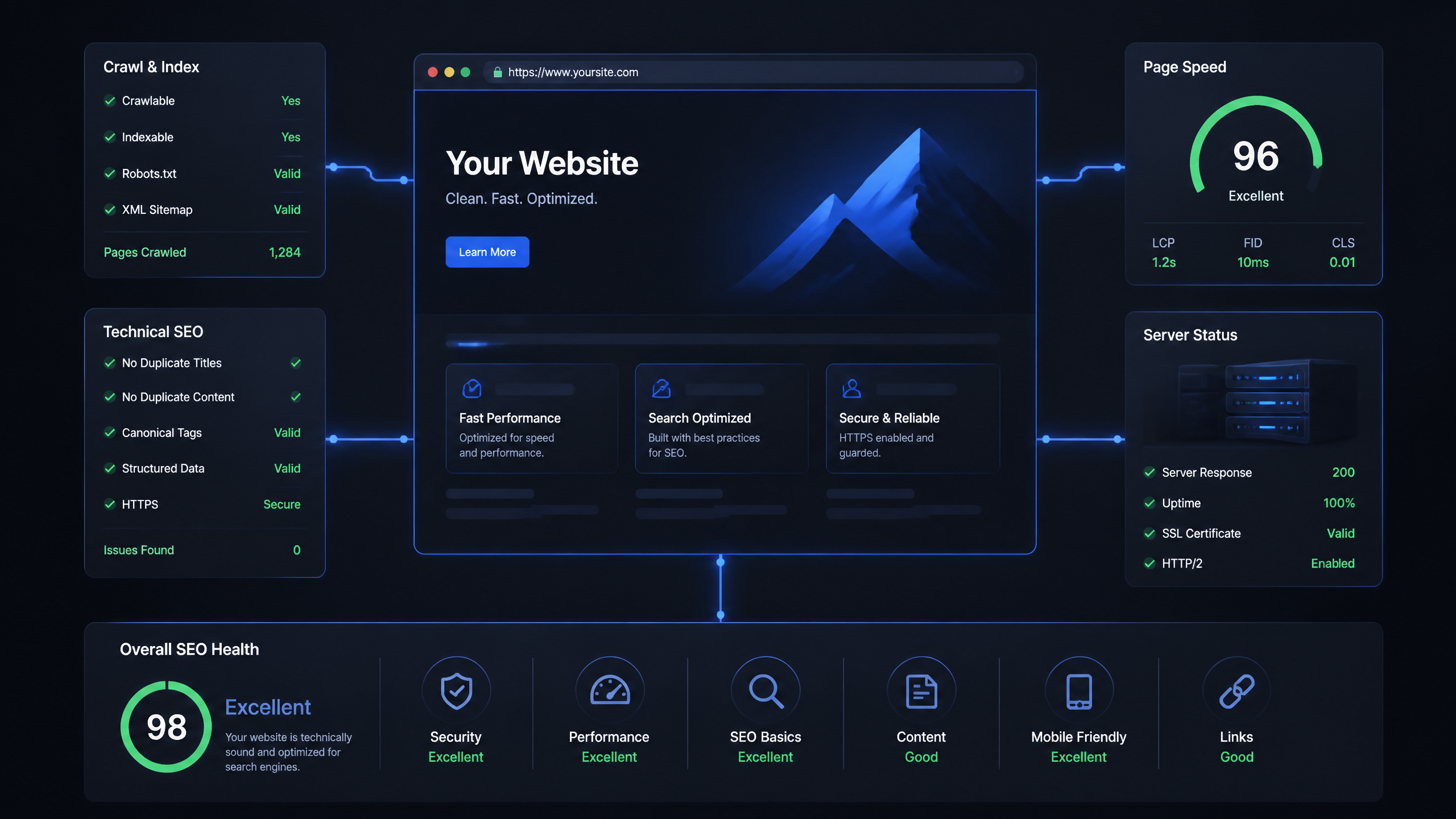
Technical SEO Ranking Factors: Hands On Guide

Technical SEO Types: Core Pillars of Site Health

Technical SEO for SaaS: A to Z Hands On Playbook
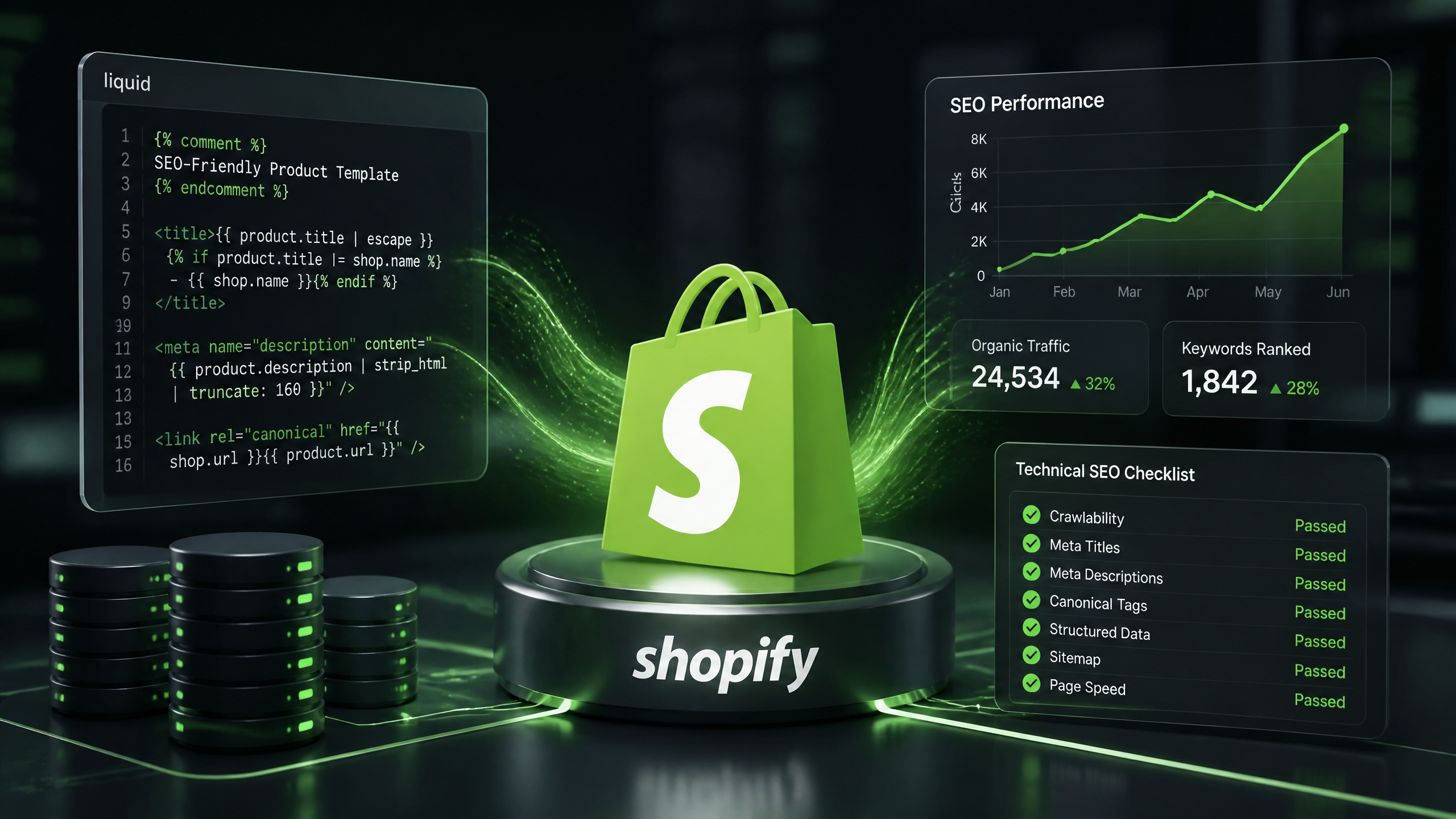
Technical SEO for Shopify: The No-Nonsense Playbook