
We are launching on AppSumo soon. Join the waitlist to get first access to our best lifetime deal, plus an additional insane early-bird bonus offer.
- Early deal-live alert so you can act before the crowd
- Priority onboarding request link for faster time-to-value
- Exclusive Week-1 SEO and GEO execution checklist
Founder-list bonuses are limited and sent only to confirmed subscribers. No spam. We only send launch updates and deal access details.
Free Canonical URL Checker
Instantly audit any webpage for canonical tag presence, self-referencing status, and conflicting signals. Ensure search engines index the right version of your page.
The Basics of Canonicalization
Let's be real—duplicate content is the silent killer of search rankings. Over my eight years of technical SEO consulting, I've seen countless websites suffer from self-inflicted indexing wounds simply because they had multiple URLs serving up the exact same content. Many people underestimate the power of canonical tags; they can save you from a lot of headaches down the line. When multiple paths lead to the same destination, search engines struggle to figure out which page is the "real" one. That is where canonicalization comes in.
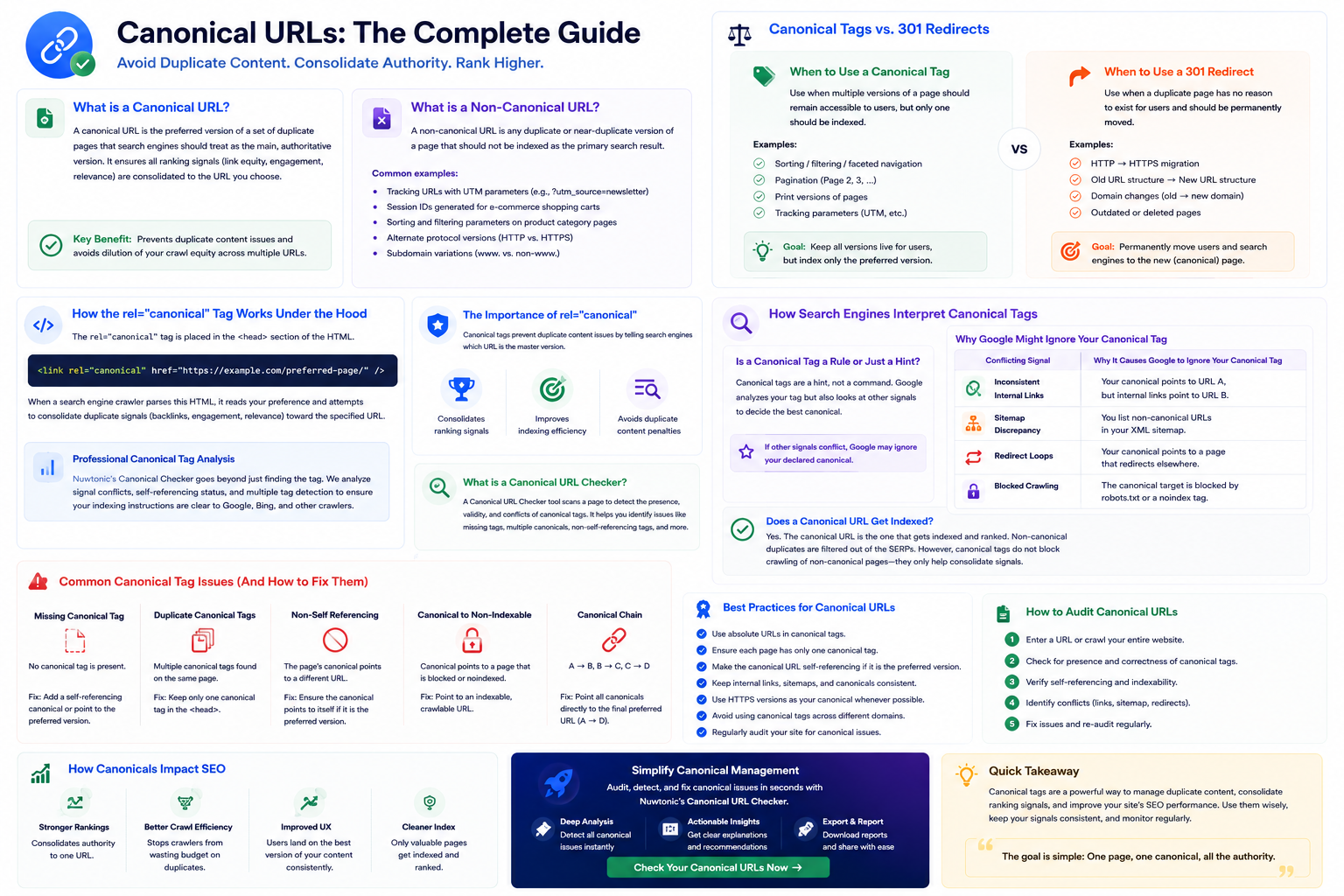
What is a Canonical URL?
According to Google Search Central, a canonical URL is the preferred version of a set of duplicate pages that search engines should treat as the main, authoritative version. It is the master copy of your page that you want to show up in search engine results pages (SERPs). When you establish a canonical URL, you are telling search engine crawlers: "Hey, I know these other pages look identical to this one, but please pass all the ranking juice to this specific link." Understanding this process is a fundamental aspect of mastering what is on-page SEO because it ensures your crawl equity is not diluted across dozens of identical parameter URLs.
What is a Non-Canonical URL?
A non-canonical URL is any duplicate or near-duplicate version of a page that should not be indexed as the primary search result. These pages exist for functional, tracking, or design reasons, but they do not need their own search presence. Common examples of non-canonical URLs include:
- •Tracking URLs with UTM parameters (e.g., ?utm_source=newsletter)
- •Session IDs generated for e-commerce shopping carts
- •Sorting and filtering parameters on product category pages
- •Alternate protocol versions (such as HTTP vs. HTTPS)
- •Subdomain variations (such as www. vs. non-www.)
How the rel="canonical" Tag Works Under the Hood
Under the hood, the canonical tag is an HTML element placed in the <head> section of a web page. It uses the rel="canonical" attribute to point to the preferred URL. The basic syntax looks like this:
<link rel="canonical" href="https://example.com/preferred-page/" />When a search engine crawler like Googlebot parses this HTML, it reads the tag and notes your preference. It then attempts to consolidate duplicate-page signals—such as backlink authority, user engagement signals, and content relevance—toward that specified URL.
Professional Canonical Tag Analysis
Nuwtonic's Canonical Checker goes beyond just finding the tag. We analyze signal conflicts, self-referencing status, and multiple tag detection to ensure your indexing instructions are clear to Google, Bing, and other crawlers.
The Importance of rel="canonical"
Canonical tags prevent duplicate content issues by telling search engines which URL is the master version. Without a clear canonical signal, search engines might index multiple versions of the same page, splitting your ranking power.
What is a Canonical URL Checker?
A canonical URL checker is a technical SEO tool that inspects the <head> section of a webpage's HTML to identify the rel="canonical" link element and verify its destination URL.
How Search Engines Interpret Canonical Tags
Now, here's the deal: search engines do not always do what you tell them to do. Unlike a noindex tag, which is an absolute directive, a canonical tag is merely a suggestion.
Is a Canonical Tag a Rule or Just a Hint?
According to Google Search Central, canonical tags are a hint rather than a command. This means Google will analyze your tag, but it will also look at several other signals on your website to determine if your declared canonical is actually the best choice. If your site's structure tells a different story, Google may override your tag and select what it deems to be the correct canonical URL.
Why Google Might Ignore Your Canonical Tag
It's surprising how often I see sites with glaring duplicate content issues that could be fixed with just a few simple canonical tags—only for the webmaster to realize Google is completely ignoring them. Google will bypass your declared canonical if you send conflicting signals.
| Conflicting Signal | Why It Causes Google to Ignore Your Canonical Tag |
|---|---|
| Inconsistent Internal Links | Your canonical tag points to URL A, but all your internal navigation links point to URL B. |
| Sitemap Discrepancy | You list non-canonical URLs in your XML sitemap, signaling they are important. |
| Redirect Loops | Your canonical tag points to a page that redirects elsewhere, creating an unresolved loop. |
| Blocked Crawling | The canonical target is blocked by robots.txt or a noindex tag, making it un-crawlable. |
To ensure your canonical tags are respected, you must align all of these signals. Your internal links, XML sitemaps, and redirects must all point to the exact same canonical URL.
Does a Canonical URL Get Indexed?
Yes. In fact, the entire purpose of a canonical URL is to ensure that only the canonical version gets indexed and ranked, while the non-canonical duplicates are filtered out of the SERPs. However, do not use canonicalization as an absolute way to block crawling. Canonical tags do not guarantee that the non-canonical page will be completely removed from search results or ignored by crawlers; they are used to reduce duplicate-content confusion rather than to block crawling entirely.
Canonical Tags vs. 301 Redirects
I often get asked: "Should I use a canonical tag or a 301 redirect?" Both are designed to consolidate duplicate pages, but they solve different problems. Choosing the wrong one can hurt your user experience or ruin your search presence.
When to Use a Canonical Tag
Use a canonical tag when you want multiple versions of a page to remain active and accessible to real human users, but you want search engines to index only one of them. For example, if you run an e-commerce store, you want users to be able to sort products by price (/products?sort=price) or color (/products?color=blue). These parameters create duplicate pages. You cannot redirect them, because doing so would break the user experience. Instead, you slap a canonical tag on those parameterized pages pointing back to the main category page (/products/).
When to Use a 301 Redirect
According to Google Search Central's guide on consolidating duplicate URLs, redirects are a stronger consolidation signal than canonicals when one URL should definitively replace another. Use a 301 redirect when a duplicate page has no reason to exist for users. If you have migrated your site from HTTP to HTTPS, or changed your URL structure from /blog-post-old to /blog-post-new, you should redirect the old URL. This sends both users and search engines to the new page automatically.
Canonicalization vs. Noindex Directives
Another common debate is whether to use a canonical tag or a noindex tag. Let's look at the key differences:
| Feature | Canonical Tag (rel="canonical") | Noindex Directive (noindex) |
|---|---|---|
| Primary Purpose | Consolidates link equity and groups duplicates. | Prevents a page from appearing in search indexes. |
| Crawl Budget | May still crawl non-canonical pages occasionally. | Stops indexing, but crawlers still visit the page. |
| Link Equity | Passes link equity to the canonical target. | Does not pass link equity to other pages. |
| Use Case | Near-duplicate pages, tracking URLs, parameters. | Admin pages, private login portals, thank-you pages. |
Pro Tip: Never use both a noindex tag and a canonical tag on the same page. If you tell Google "don't index this page" (noindex) and "consolidate this page's signals into Page B" (canonical), you create a logical conflict. Google will often ignore the canonical tag entirely in this scenario.
Advanced Implementations and Technical Edge Cases
I've learned the hard way that ignoring canonicalization can lead to wasted crawl budget and lower rankings. Early in my career, I managed a large e-commerce site where the faceted navigation generated over 50,000 duplicate URLs. Search engines spent all their time crawling useless filter pages instead of our core product pages. Correcting our canonical strategy saved that site. Let's go over how to handle these technical implementations properly so you can avoid those same costly mistakes.
Does a Canonical URL Have to Be an Absolute URL?
Yes. While search engines can technically parse relative URLs (e.g., /category/product), it is an absolute best practice to use absolute URLs (e.g., https://example.com/category/product). Relative URLs are highly prone to implementation errors. If your site generates dynamic URLs or uses different subdomains, relative canonicals can easily point to non-existent pages, leading to broken signals. Don't risk it—always write out the full, absolute URL.
Does Canonical URLs Work Cross-Domain?
Yes, cross-domain canonicals are supported and highly effective. According to Google's official canonicalization documentation, you can use cross-domain canonicals when identical content is republished across entirely different domains. For example, if you write a guest post on a high-authority publication but also want to publish it on your own blog, the guest site can use a cross-domain canonical tag pointing to your original article. This prevents duplicate content penalties and ensures your site gets the credit for the original piece.
How to Set Canonical URLs in .htaccess and HTTP Headers
Most people think canonical tags can only live in HTML. But what happens when you need to canonicalize non-HTML files, like a PDF document? If you have a PDF version of a whitepaper and an HTML version of the same content, you can use an HTTP header canonical. You can implement this on Apache servers by adding code to your .htaccess file:
<Files "whitepaper.pdf">
  Header add Link "<https://example.com/whitepaper-html/>; rel=\"canonical\""
</Files>
This tells search engines that the HTML page is the preferred version, consolidating search equity without affecting the downloadable PDF file.
Handling Parameters, Sorting, and Faceted Navigation
Faceted navigation is the most common source of duplicate content issues. When users filter products by size, brand, or color, the resulting URLs often look like this:
- •https://example.com/shoes?size=10
- •https://example.com/shoes?color=red&size=10
To handle this, every single one of these filtered pages must have a canonical tag pointing back to the clean category page: https://example.com/shoes. This keeps your index clean and ensures you don't run into issues when search engines try to index multiple versions of the same landing page.
Common Mistakes and How to Fix Them
Don't just slap a canonical tag on every page and call it a day. Incorrect canonicalization can destroy your site's visibility faster than almost any other technical SEO error.
Glaring Mistakes That Ruin Crawl Budget
I regularly see sites making critical canonical mistakes that waste crawl budget and drop rankings. Some of the worst offenders include:
How to Fix "Duplicate, Submitted URL Not Selected as Canonical"
This is a common error message inside Google Search Console (GSC). It means you submitted a URL in your sitemap that you wanted indexed, but Google decided that another page was a better fit to be the canonical version. To fix this:
- 1
Go to Google Search Console and inspect the affected URL.
- 2
Look at the "Google-selected canonical" field to see which page Google preferred.
- 3
If Google's choice is correct, update your sitemap and internal links to point to Google's preferred URL.
- 4
If Google's choice is incorrect, make sure your preferred page has strong, consistent signals (internal links, sitemap inclusion, self-referencing canonical) and that the duplicate pages explicitly point to it.
How to Select and Verify Canonical URLs in Search Console
According to Google Search Central, you can verify canonical selection by inspecting how search tools report the user-declared and Google-selected canonical URL.
- 1
Open your Google Search Console dashboard.
- 2
Paste any URL into the search bar at the top to run the URL Inspection Tool.
- 3
Expand the Page Indexing section.
- 4
Scroll down to view the User-declared canonical and the Google-selected canonical.
If both fields match, your canonicalization is working perfectly. If they do not match, you have a signal conflict that needs to be resolved.
Audit Scope
This tool evaluates the presence of canonical link tags, the specific URL value, self-referencing status, and detects if multiple conflicting tags are present.
How to Validate Your Canonical Tags
Enter the URL of the page you want to audit.
Run the check to extract all canonical signals.
Verify if the detected canonical URL matches your intended master URL.
Fix any issues like missing tags or multiple conflicting canonicals.
Understanding Canonical Signals
Canonical present
A valid rel="canonical" tag was found in the page's source code.
Self-referencing
The canonical URL correctly points to the current page's URL.
Multiple tags
CRITICAL: More than one canonical tag was found, which may confuse search engines.
Missing tag
No canonical was found; search engines will decide which version to index.
Audit Limitations
This tool reports the tags declared in the HTML. It does not account for canonicals set via HTTP headers or how Google ultimately chooses to group URLs.
Frequently Asked Questions About Canonical URLs
Common Canonical URL SEO Questions Answered
Does using a CDN affect canonical URLs?
Using a Content Delivery Network (CDN) does not inherently affect your canonical URLs. CDNs serve cached versions of your existing site pages, meaning they will also serve the canonical HTML tags you have already set up. However, you must ensure that your CDN is not caching pages on a separate subdomain (like cdn.example.com) without maintaining the correct canonical links back to your primary domain.
How do I canonicalize www to non-www URLs?
To canonicalize www to non-www (or vice versa), you should use a 301 redirect in your server configuration (such as your .htaccess or Nginx config file) rather than relying solely on canonical tags. This ensures that all traffic is forced to a single domain version. Once the redirect is in place, ensure your self-referencing canonical tags on your website reflect your chosen primary domain.
Can a page canonicalize to itself?
Yes. A self-referencing canonical—where Page A points to Page A—is highly recommended. According to Google Search Central, a self-referencing canonical is valid and can reinforce the preferred version of a page, preventing tracking parameters or accidental duplicates from being indexed as unique pages.
How do I get the canonical URL of an Amazon product page?
Amazon product pages often have multiple URL structures due to search queries, category paths, and referral tags. To find the clean, canonical URL of an Amazon product, you can look at the page source code and search for the rel="canonical" tag. Alternatively, you can look for the standard Amazon ASIN structure: amazon.com/dp/[ASIN-CODE]/.
Try our other free SEO and AI tools
We have gathered some of our free tools that might help you in your SEO efforts.
Filter what tools to see
Free Meta Title Generator
Generate high-CTR title tags optimized for Google search results using AI-driven templates.
Free Keyword Clustering Tool
Group related keywords into clear topic clusters and build a stronger topical SEO plan.
AI Overview Keyword Finder
Detect keywords that trigger AI overviews and assess citation opportunities with volatility signals.
Low Competition Keyword Finder
Find weak SERPs, forum-heavy opportunities, and keywords where lower-authority sites can still win.
Reddit Keyword Finder
Extract recurring questions, pain points, and buying intent patterns from Reddit and forums.
Question Keyword Tool
Find FAQ-style keywords and common user questions.
Buyer Intent Keyword Finder
Specifically filters for commercial and transactional keywords.
Zero Search Volume Keyword Finder
Uncovers emerging or hidden keywords that traditional volume tools miss.
Free SEO Title Length Checker
Check if your page titles fit within pixel limits to avoid truncation.
Free Meta Description Generator
Create compelling meta descriptions that summarize your content and boost click-through rates.
Free Meta Description Length Checker
Check if your meta descriptions fit within pixel limits to avoid truncation.
Free Google SERP Preview Tool
Simulate how your page title and meta description may appear in Google search results.
Free Schema Markup Checker
Validate your structured data to ensure it is readable by search engines and error-free.
Free Rich Results Test
Determine if your page is eligible for rich results in Google Search with our validation tool.
Free Alt Text Checker
Identify missing, empty, or duplicate alt text values across images.
Free AI Alt Text Generator
Generate descriptive, accessibility-compliant alt text for your images instantly.
Free Image Filename Generator
Convert plain text into SEO-friendly, hyphenated image filenames.
Free On-Page SEO Audit Tool
Run an on-page SEO audit for SEO services pages, technical SEO audit checks, and SEO optimization improvements.
Free H1 Tag Checker
Identify the presence and content of H1 heading tags on any webpage.
Free Heading Structure Checker
Audit your H1-H6 tags to ensure a logical and SEO-friendly document structure.
Free EEAT Audit Tool
Analyze your content for Google's Experience, Expertise, Authoritativeness, and Trustworthiness signals.
Free AIO & GEO Audit Tool
Optimize your content for AI Overviews and Search Generative Experience with a detailed formatting audit.
Free Broken Link Checker
Scan a page to identify links that return error responses or cannot be reached.
Free Redirect Checker
Analyze URL redirection behavior to identify redirect types and destination URLs.
Latest SEO and AI related articles
Browse all articles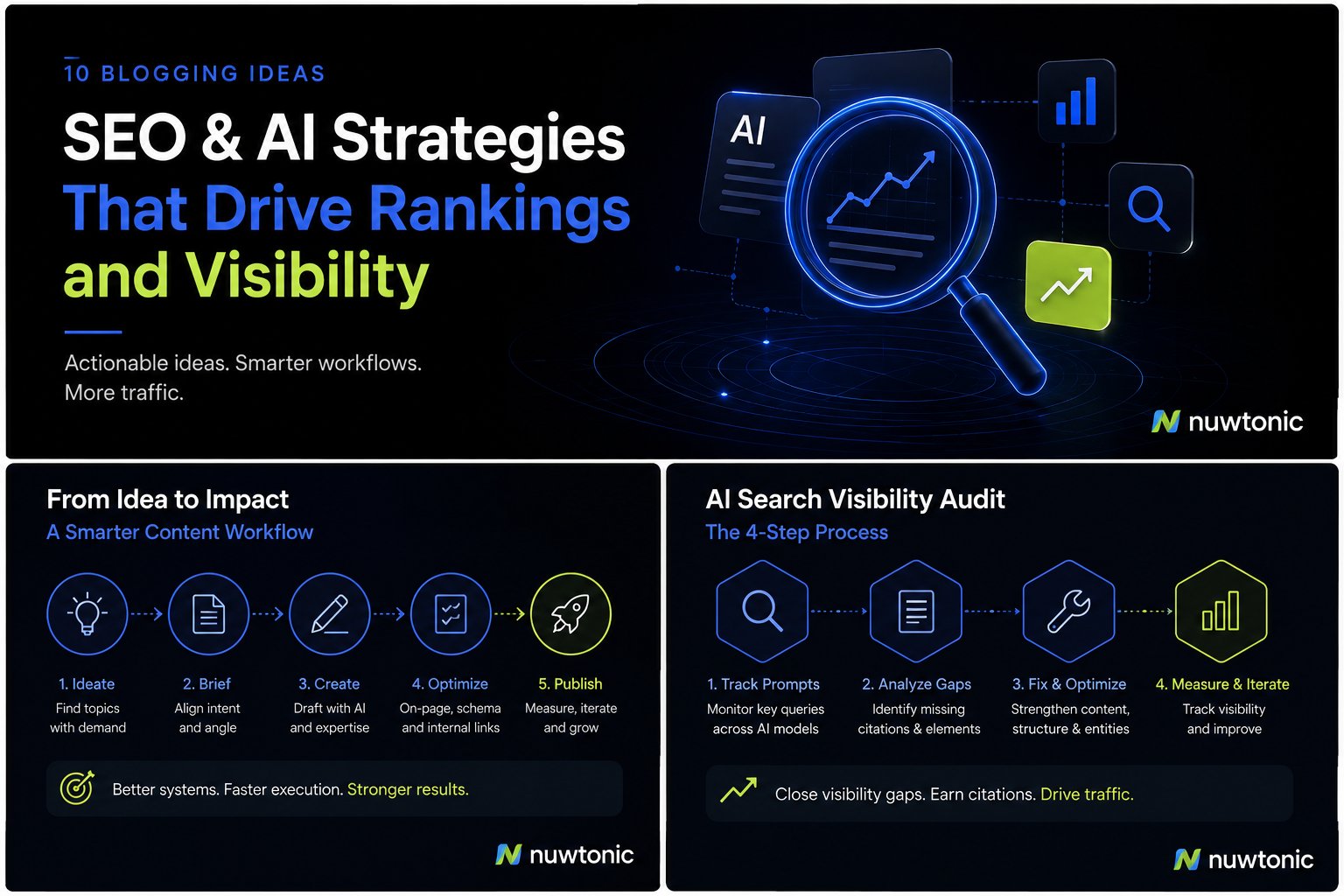
10 Ideas for Blogging: AI-Driven SEO and Content Strategies
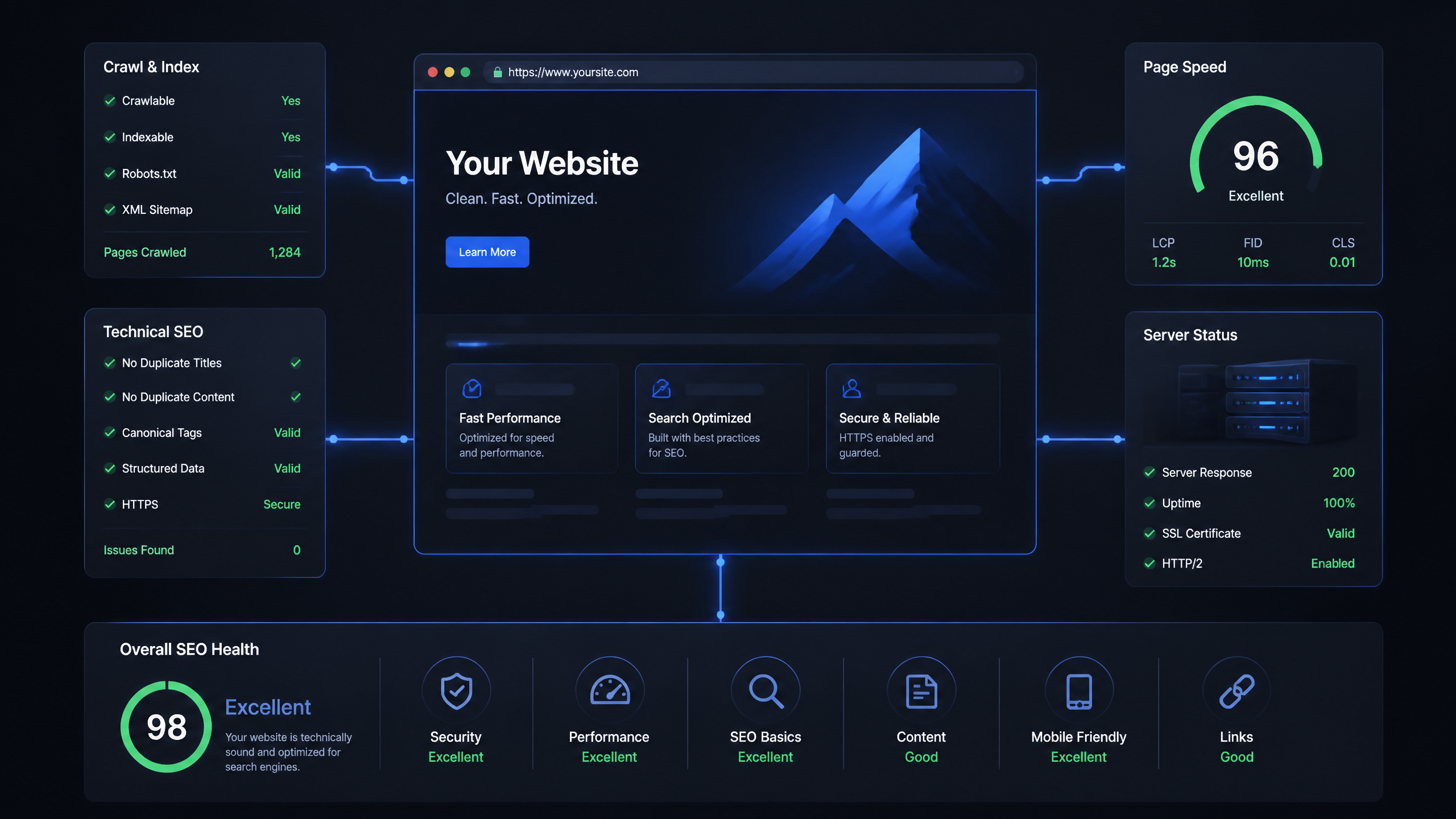
Technical SEO Ranking Factors: Hands On Guide

Technical SEO Types: Core Pillars of Site Health

Technical SEO for SaaS: A to Z Hands On Playbook
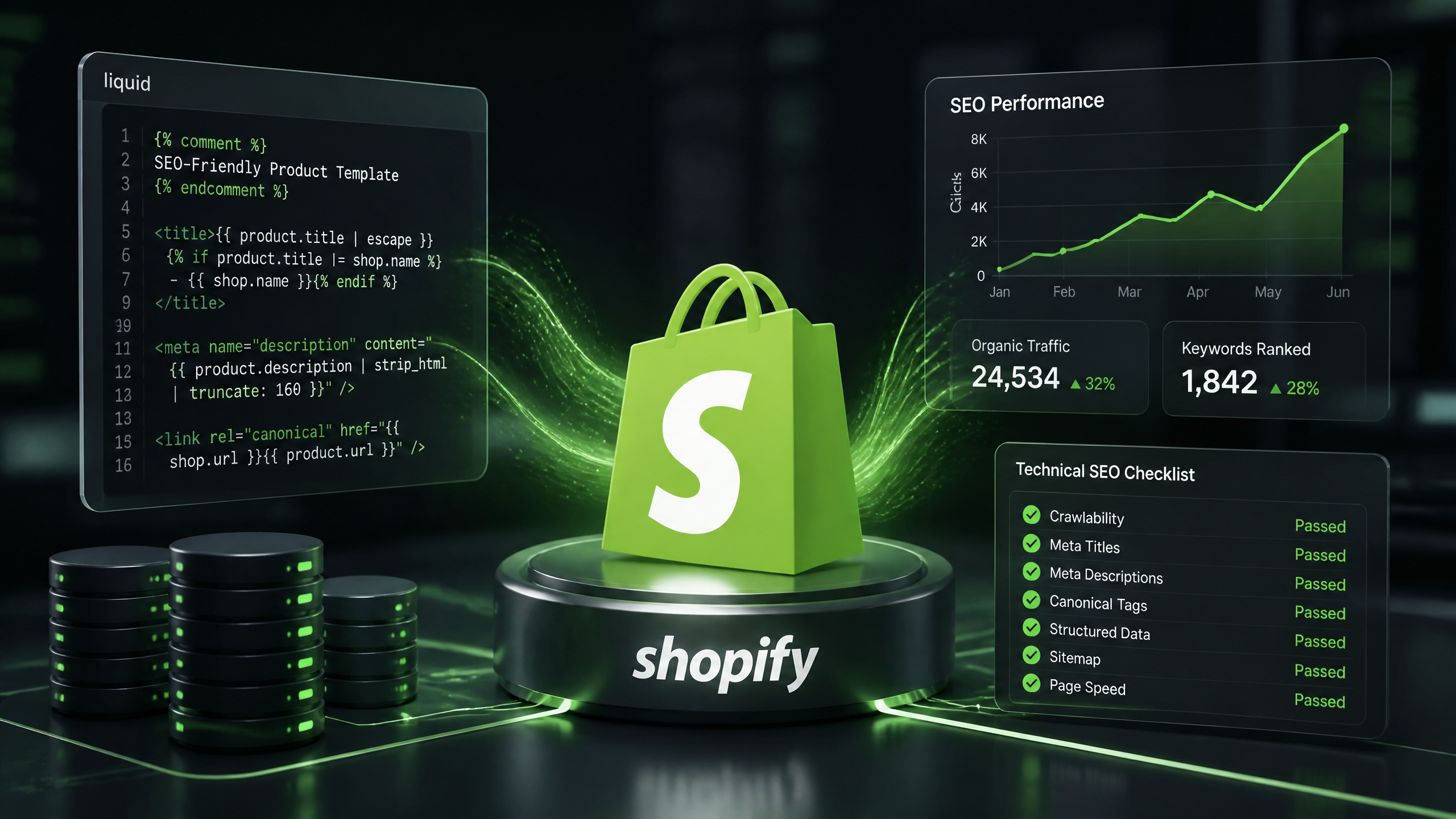
Technical SEO for Shopify: The No-Nonsense Playbook