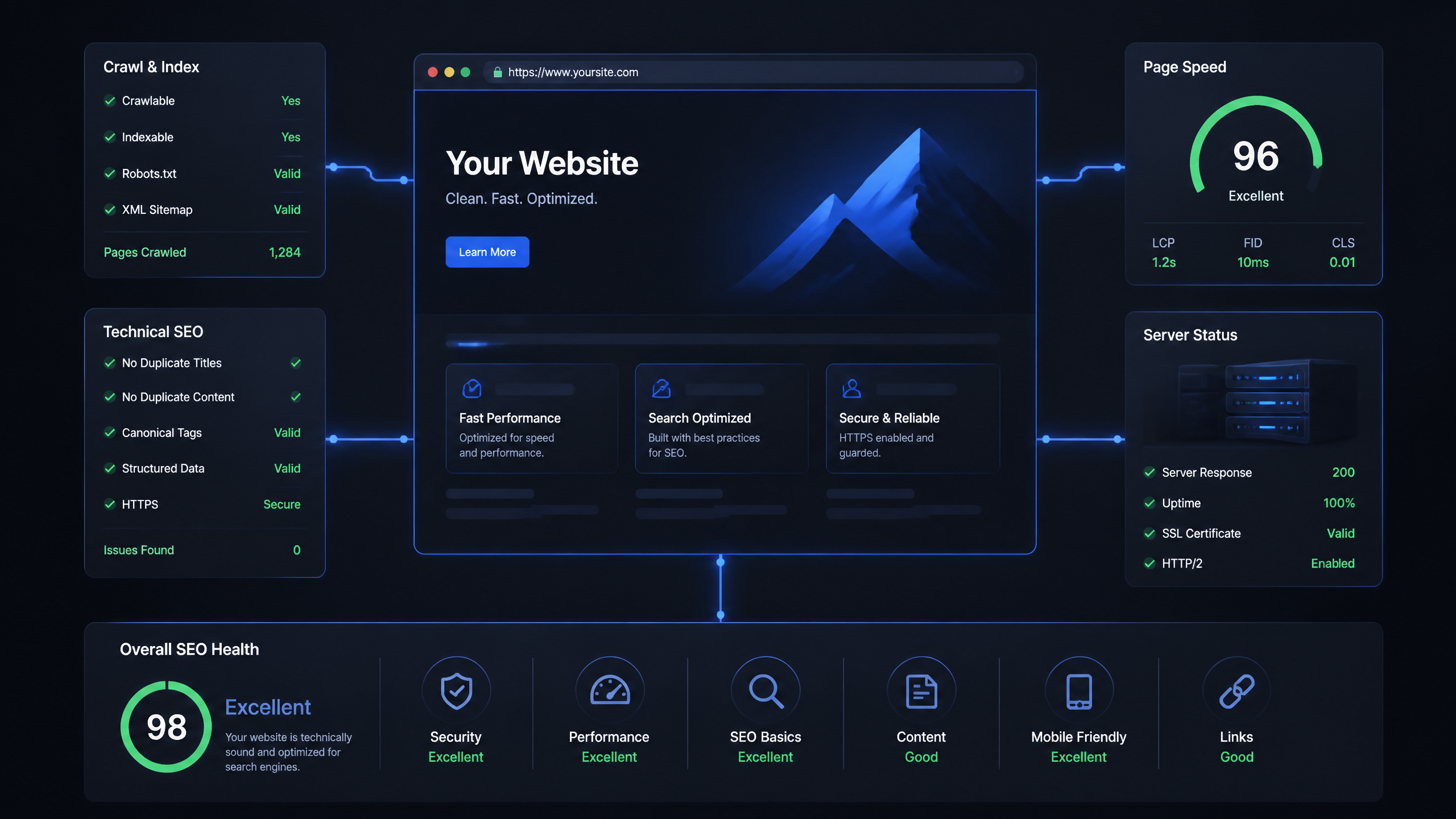
Look, let's cut through the noise. Most technical SEO guides make the subject sound like ancient alchemy. They drown you in endless checklists of minor tweaks while ignoring the core infrastructure. In my 8+ years of auditing eCommerce and B2B websites, I have learned one hard truth: Most technical SEO issues stem from a lack of proper site structure — it's not just about keywords.
If your site's foundation is broken, search engines won't even get the chance to read your brilliant copy. This comprehensive guide breaks down the critical technical seo ranking factors that dictate whether your pages rank on page one or get buried in the indexing abyss.
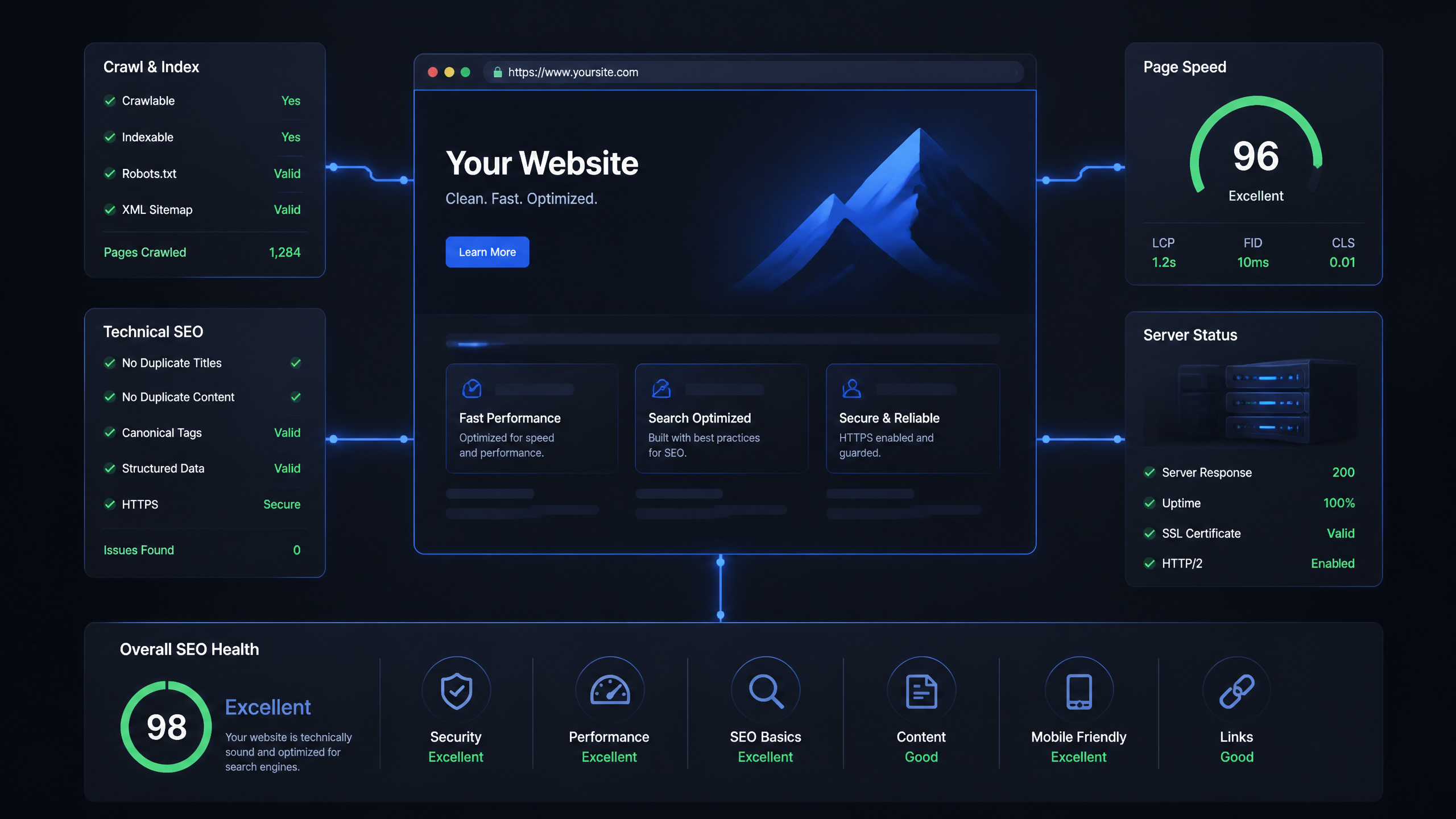
Quick Overview and Key Takeaways
TL;DR: The Core Technical Metrics
If you are short on time, here is the quick breakdown of what actually moves the needle for technical SEO in 2026:
Technical Factor | Target Threshold / Best Practice | Ranking Impact |
|---|---|---|
Largest Contentful Paint (LCP) | Under 2.5 seconds | Direct Signal (Page Experience) |
Interaction to Next Paint (INP) | Under 200 milliseconds | Direct Signal (Page Experience) |
Cumulative Layout Shift (CLS) | Under 0.1 | Direct Signal (Page Experience) |
Mobile-First Indexing | Mobile-responsive design (min 320px breakpoint) | Critical Prerequisite |
HTTPS Security | Active SSL, zero mixed-content errors | Direct Signal (Security) |
Crawlability & Indexing | Clean robots.txt, sitemap, 3-4 click depth | Core Foundation |
• Core Web Vitals are tie-breakers: When content quality is similar between competitors, Google uses LCP, INP, and CLS to determine rankings.
• Mobile is the only version that matters: Google’s mobile-first indexing policy means the mobile version of your site determines search performance across all devices.
• Basic fixes yield big wins: Many guides make technical SEO sound overly complex; often, resolving redirect chains, fixing canonical tags, and eliminating orphan pages can yield massive ranking recoveries.
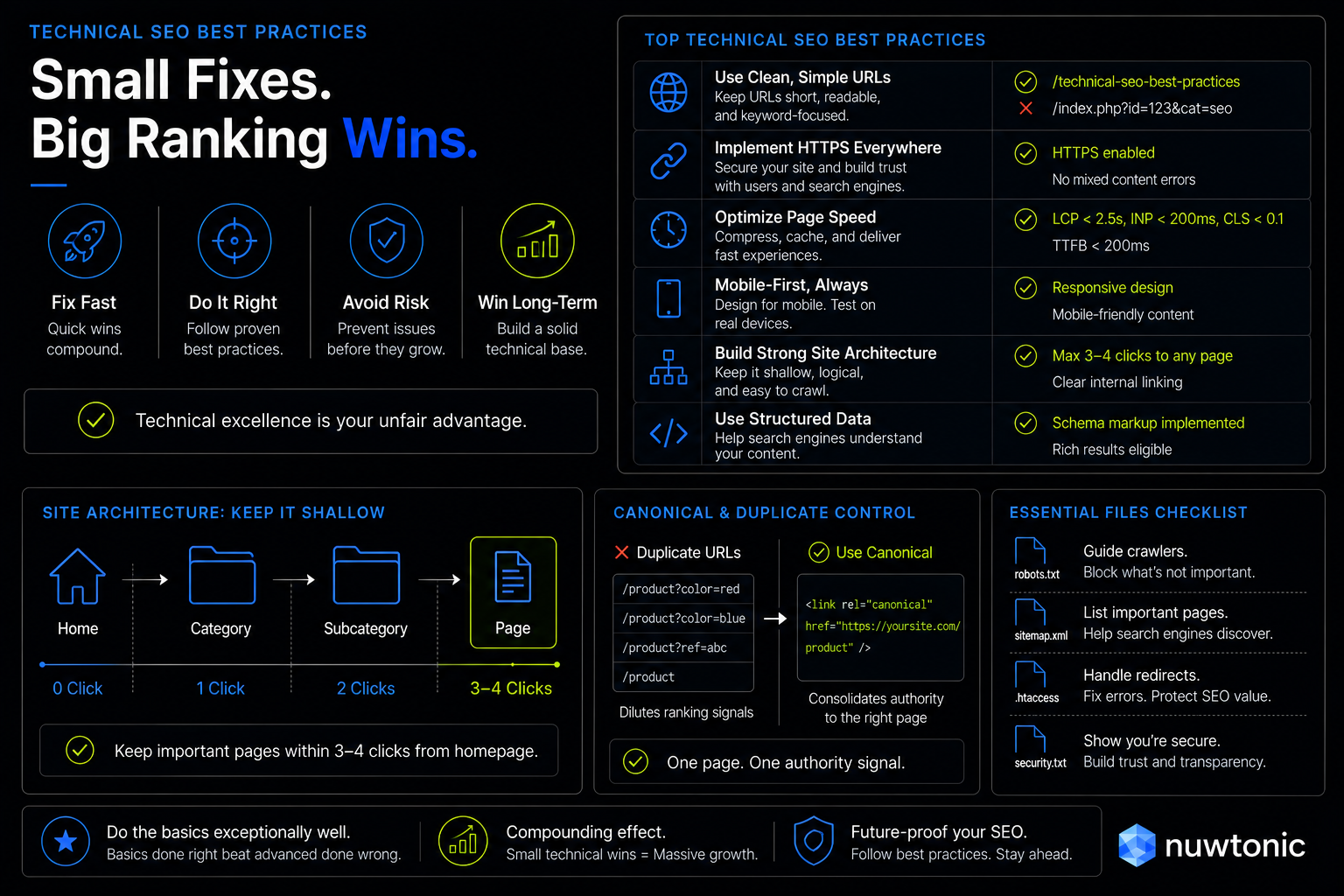
Table of Contents and Navigation
To help you navigate this technical deep-dive, we have organized our breakdown into the following core pillars:
• Core Web Vitals and Page Experience Signals
• Crawlability and Indexation: Google's Access Rules
• Mobile-First Indexing and Site Architecture
• Security, Structured Data, and Trust Signals
• The Technical SEO Audit Framework
• Frequently Asked Questions (FAQ)
• Sources and References
Core Web Vitals and Page Experience Signals
Honestly, too many marketers treat Core Web Vitals (CWV) as a superficial optimization checklist. But since Google's page experience updates, these metrics are direct ranking signals when content quality is comparable. Let's look at the exact thresholds Google expects you to hit.
The Core Web Vitals Thresholds (LCP, INP, CLS)
According to Google’s Core Web Vitals guidelines, your site must meet specific performance metrics to satisfy the ranking algorithm:
Largest Contentful Paint (LCP): Measures loading performance. The target for LCP is under 2.5 seconds.
Interaction to Next Paint (INP): Measures interactivity. INP must be under 200 milliseconds to meet ranking thresholds.
Cumulative Layout Shift (CLS): Measures visual stability. CLS needs to be under 0.1 for an optimal user experience.
If your pages drift outside these boundaries, you are actively giving up rankings to faster competitors.
Time to First Byte (TTFB) and Server Response
While not a direct Core Web Vitals metric, Time to First Byte (TTFB) is the foundation of site speed. A Google study found that TTFB should be under 200 milliseconds for most pages to maintain crawl efficiency. If your server takes half a second just to respond, your LCP is almost guaranteed to fail. I always look at server-side rendering (SSR), edge caching, and database query optimization to pull this number down before touching client-side code.
Real-World CWV Failure: The Case of the Lagging INP
I closely monitor community forums like Reddit's SEO community, and a common pattern I keep seeing is the sudden ranking drop due to neglected interactivity metrics.
One e-commerce site had their INP creep up to 250 milliseconds (above the 200ms threshold) due to bloated third-party tracking scripts. This breach caused a noticeable ranking drop for 10 of their key product pages. The team initially tried standard minification and deferring scripts, but it wasn't enough. The breakthrough came when they offloaded heavy computations to web workers. Once the INP was reduced to 180 milliseconds, their rankings recovered by 12% within two weeks.
Crawlability and Indexation: Google's Access Rules
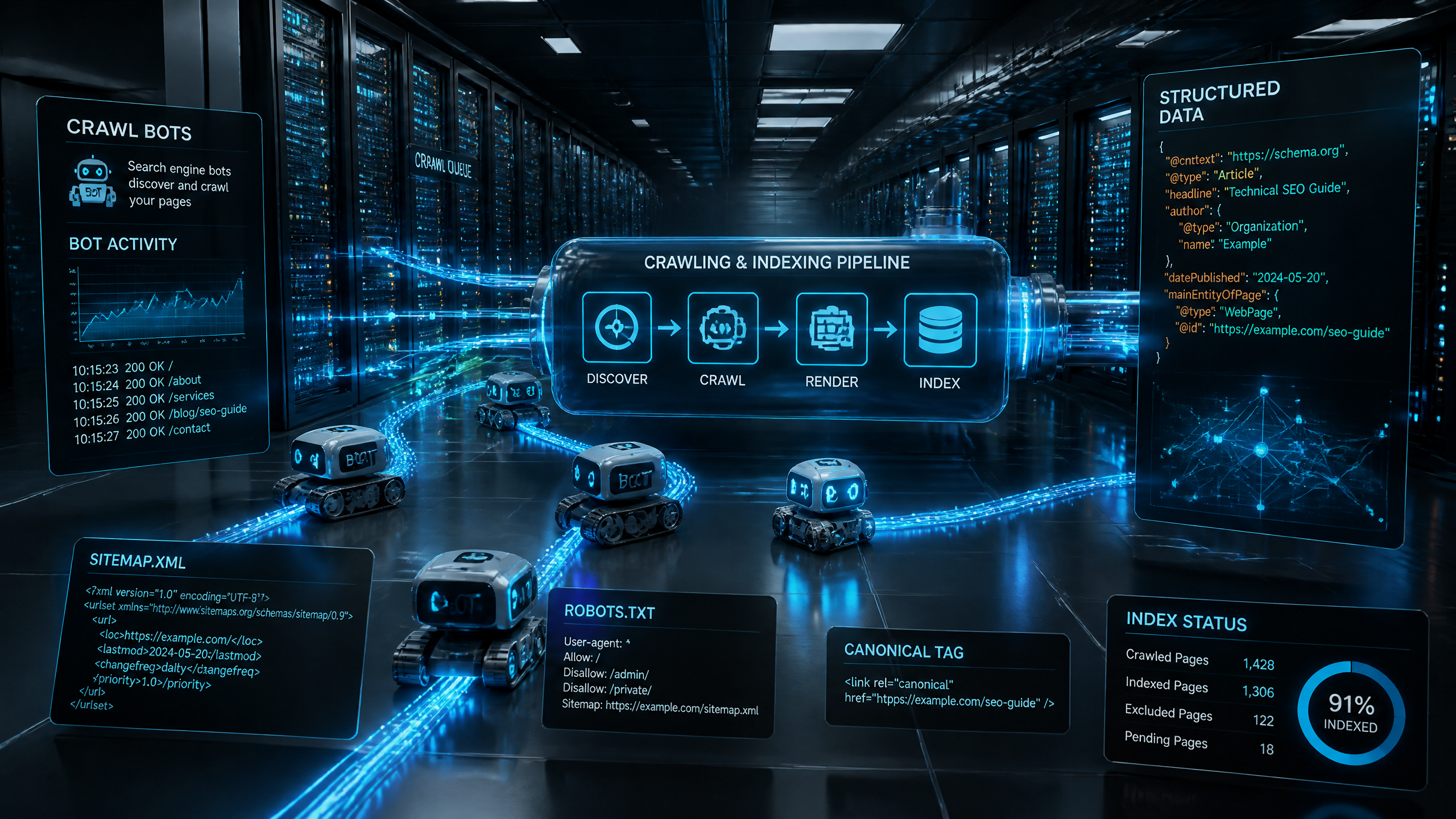
Look, if Google cannot crawl a page, it cannot rank it. It's that simple. Crawlability is the absolute prerequisite of technical SEO.
Managing Crawl Budget and Crawl Errors
Crawl budget—the number of pages Google crawls on your site per day—is a finite resource, especially for large sites. Wasteful crawl paths, such as infinite URL parameters or duplicate search result pages, dilute this budget.
According to Google’s migration and search audit guidelines, duplicate content can cause index bloat, reducing the crawl budget for your most important pages. You must use your robots.txt file to block access to non-essential directories and prevent crawl errors from exhausting Google's resources.
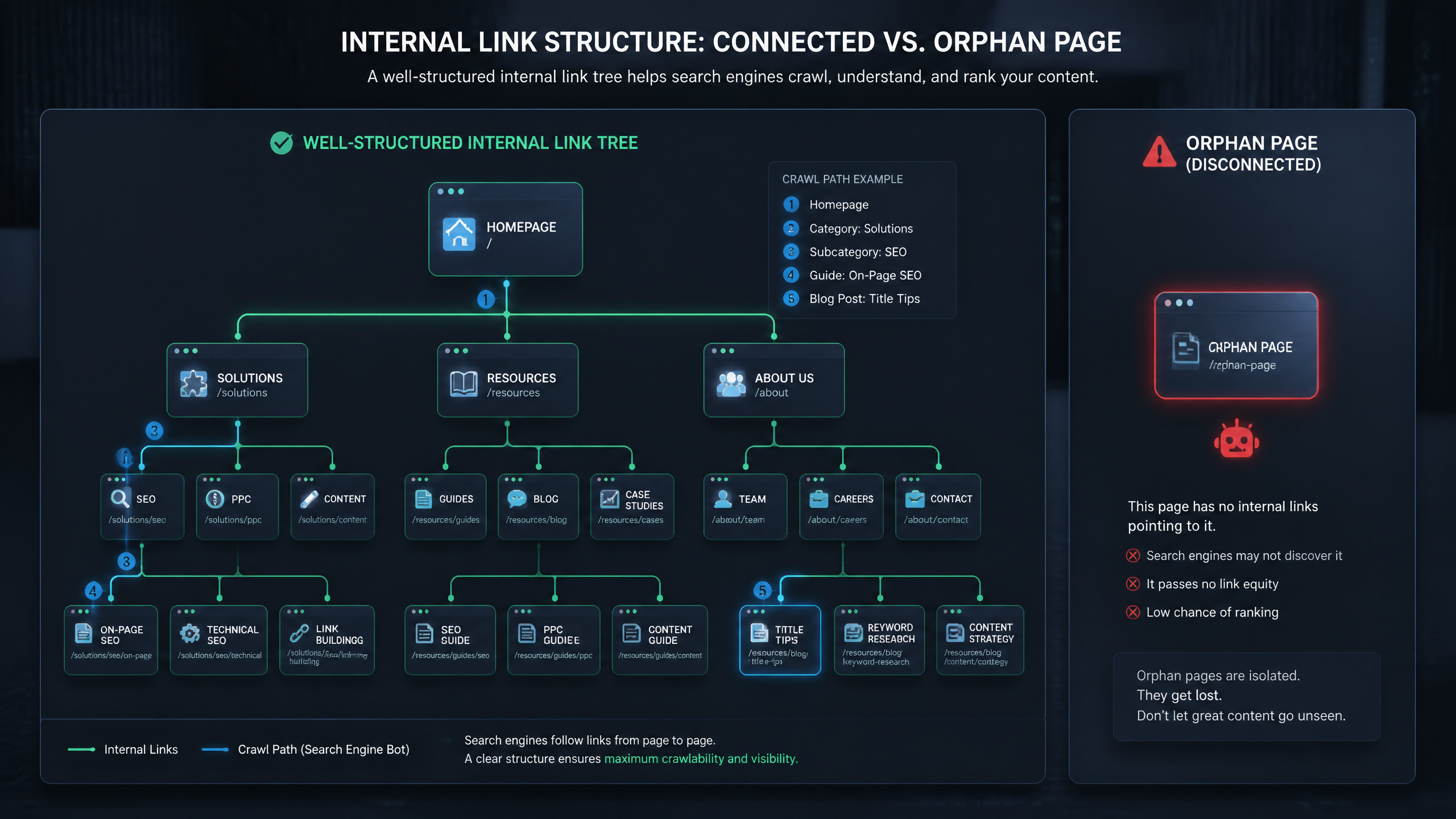
The Danger of Orphan Pages and Poor Internal Linking
According to Google’s developer documentation, orphan pages (pages with no internal links pointing to them) are nearly invisible to crawlers and cannot rank.
In my experience, a clean site architecture ensures that every page should be reachable within 3–4 clicks from the homepage. Let's compare how internal link distribution affects page visibility:
Link Depth (Clicks from Homepage) | Crawl Priority | Indexing Probability | Ranking Potential |
|---|---|---|---|
1–2 Clicks | Critical | 100% | High (Maximum PageRank flow) |
3–4 Clicks | Standard | High | Moderate |
5+ Clicks | Low | Low | Poor |
Orphan (0 links) | None | Near 0% | Extremely Poor |
I once audited a tech site that had 50 orphan pages containing high-quality content. Because there were zero internal links pointing to them, they had 0% ranking visibility. After we added internal links from high-authority category pages, all 50 pages were indexed, and 30% of them achieved page-one rankings within a single month.
JavaScript Rendering and Indexing Latency
According to Google’s JavaScript rendering documentation, long JavaScript tasks block content from being rendered, which can prevent indexing entirely. Google renders pages in a two-stage process: first, it indexes the raw HTML, and then, once rendering resources are available, it executes JavaScript to index the fully rendered page.
If your JavaScript bundle takes too long to execute or times out, Google will only index your blank HTML template. Always opt for Server-Side Rendering (SSR) or Static Site Generation (SSG) for your core content to ensure search engines see your text immediately.
Mobile-First Indexing and Site Architecture
I've seen too many sites overlook mobile optimization, which is a huge mistake given today's search trends.
The Death of Desktop-Only Rankings
Google’s mobile-first indexing policy states that the mobile version of a site determines search performance across all devices. If your desktop site is beautiful but your mobile site is a cramped, slow, non-responsive mess, your desktop rankings will tank.
A retail site I audited had a non-responsive mobile setup and lost 40% of its organic traffic after Google fully transitioned them to mobile-first indexing. Once we implemented a responsive design with a minimum 320px breakpoint, traffic recovered to its baseline within three months, and mobile search rankings improved by 25%.
URL Parameters, Canonical Tags, and Duplicate Content
Duplicate content dilutes your ranking signals because search engines don't know which version to rank. A Google Search guideline defines canonical tags as the primary method to avoid duplicate content issues.
A common pitfall is using relative URLs in canonical tags. Always use absolute URLs (e.g., https://example.com/page/ instead of /page/) to prevent search engines from misinterpreting the canonical destination.
Clean Redirects vs. Destructive Redirect Chains
When moving pages, 301 redirects are essential to preserve ranking authority. However, many developers accidentally build redirect chains (e.g., Page A → Page B → Page C).
While Google can follow multiple hops, my rule of thumb is to never exceed 3 hops, as authority loss and crawl latency increase significantly with every extra step. If you exceed 5 hops, Google’s crawler may stop following the redirect altogether, resulting in lost ranking power.
Security, Structured Data, and Trust Signals
Technical SEO isn't just about speed and crawlers; it's also about proving to search engines that your site is secure, structured, and user-friendly.
HTTPS and the Mixed Content Penalty
A Google Search guideline defines HTTPS security as a confirmed ranking factor. This means you must have a valid SSL certificate. But simply having "https" in your URL isn't enough.
Many sites suffer from "mixed content errors," where an HTTPS page loads resources (like images, scripts, or stylesheets) over an insecure HTTP connection. I've seen a financial site with 12 mixed content errors trigger warnings in Search Console, leading to a noticeable drop in organic visibility. Once we resolved the mixed content errors, rankings recovered by 10% within two weeks.
Schema Markup: Rich Snippets vs. Direct Ranking
According to Google’s Search Newsletter, structured data (Schema Markup) is not a direct ranking factor, but it enables rich snippets that significantly improve click-through rates (CTR). By adding schema markup, you help search engines understand the context of your data—whether it's a product, an event, or a review.
Schema Type | Rich Snippet Benefit | Impact on SEO |
|---|---|---|
Product Schema | Displays prices, availability, and star ratings | Increases CTR and qualified traffic |
FAQ Schema | Displays expandable drop-down answers | Dominates real estate on the SERP |
Article Schema | Helps content appear in Google Discover and Top Stories | Boosts visibility and referral traffic |
Intrusive Interstitials and User Experience Violations
Google’s 2026 ranking updates confirm that intrusive interstitials—such as massive newsletter pop-ups that obscure the main content immediately upon page load—negatively impact user experience and rankings. If a user cannot read your content without navigating a maze of pop-ups, Google will penalize your page experience score. Keep your promotional pop-ups non-intrusive and easily dismissible.
The Technical SEO Audit Framework
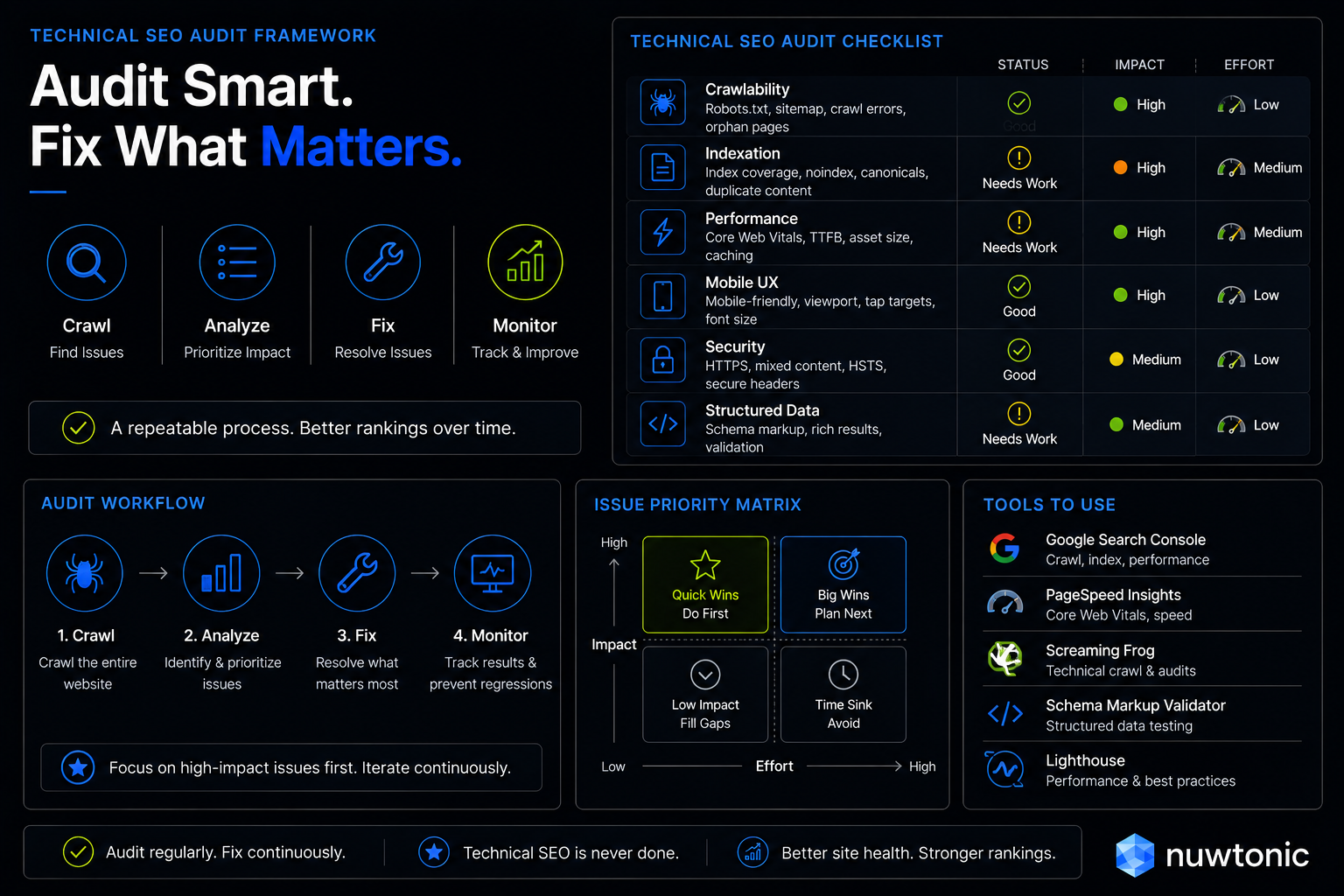
To maintain ranking stability, you must establish a regular audit cadence. Technical issues have a habit of creeping in silently during site updates, CMS patches, or content publishing.
Establishing an Auditing Cadence
I recommend a tiered auditing schedule depending on your site's publishing volume and development velocity:
• Weekly: Check Google Search Console for crawl errors, coverage issues, and mobile usability warnings.
• Monthly: Run a comprehensive crawl of your site to identify broken links, redirect chains, and duplicate canonical tags.
• Quarterly: Perform a full-scale Core Web Vitals audit and review your site architecture to ensure no orphan pages have been created.
Tools and Automation for Technical Health
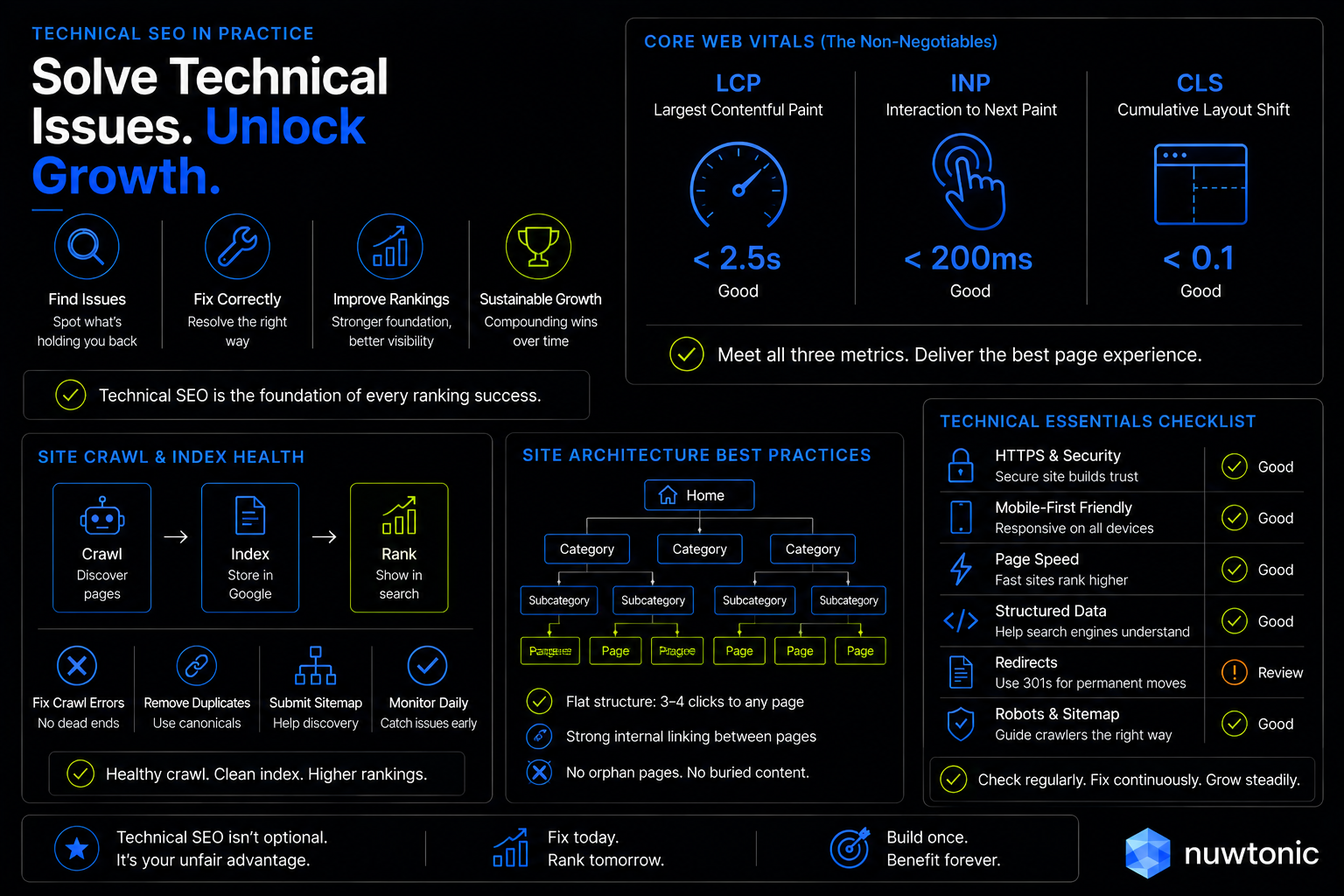
While manual audits are crucial for deep dives, relying solely on manual checks is a recipe for disaster on larger sites. This is where automation tools become invaluable.
Using AI-driven platforms like Nuwtonic can streamline this entire workflow. Instead of spending hours matching crawl errors to sitemaps or diagnosing why a canonical tag failed, Nuwtonic automates the detection of technical SEO issues and helps execute the fixes directly, allowing you to review and approve the changes. It bridges the gap between identifying an issue and actually fixing it before your rankings take a hit.
Frequently Asked Questions (FAQ)
Core Web Vitals and Speed FAQs
What are the exact Core Web Vitals thresholds for ranking in 2026?
According to Google's official guidelines, the target thresholds are: Largest Contentful Paint (LCP) under 2.5 seconds, Interaction to Next Paint (INP) under 200 milliseconds, and Cumulative Layout Shift (CLS) under 0.1.
What is the ideal Time to First Byte (TTFB) for ranking?
While not a direct ranking signal, a TTFB under 200 milliseconds is recommended by Google to ensure fast page load times and maintain high crawl efficiency.
Indexing and Crawling FAQs
Does Google penalize sites with more than 5 redirect hops?
While there isn't an explicit penalty, Google's crawlers may stop following redirect chains if they exceed 5 hops, which leads to a loss of crawl efficiency and ranking authority.
Is JavaScript rendering a direct ranking factor or just an indexing prerequisite?
It is primarily an indexing prerequisite. If Google's rendering engine cannot execute your JavaScript within its timeout limits, your content won't be indexed, making it impossible to rank.
Architecture and Security FAQs
How does HTTPS mixed content specifically impact rankings?
Mixed content errors compromise site security. Google views these errors as security vulnerabilities, which can negatively impact your page experience score and lead to a drop in search visibility.
What is the minimum number of internal links required to avoid an "orphan page"?
A page must have at least one valid, crawlable internal link to avoid being classified as an orphan page. However, to rank effectively, a page should ideally be integrated into your site architecture within 3 to 4 clicks from the homepage.
Sources and References
Official Google Documentation
• Google’s Core Web Vitals Guidelines: Official documentation on LCP, INP, and CLS thresholds.
• Google Search Documentation: Guidance on mobile-first indexing, HTTPS security, and canonicalization.
• Google Developer Documentation: Resource on JavaScript rendering, crawl budget management, and internal link structures.
Web Performance and Security Standards
• Google Search Newsletter & Migration Guidelines: Best practices for 301 redirects and structured data implementation.
• W3C Standards: Visual stability and performance metrics protocols.