
We are launching on AppSumo soon. Join the waitlist to get first access to our best lifetime deal, plus an additional insane early-bird bonus offer.
- Early deal-live alert so you can act before the crowd
- Priority onboarding request link for faster time-to-value
- Exclusive Week-1 SEO and GEO execution checklist
Founder-list bonuses are limited and sent only to confirmed subscribers. No spam. We only send launch updates and deal access details.
Free On-Page SEO Audit Tool
Check any landing page, service page, or blog post for on-page SEO issues and get clear, prioritized actions you can fix first.
Run Your On-Page SEO Audit
Enter a valid public URL. We will securely run the audit and display the results below.
Stop Fixing SEO Issues Manually.
Unlock Nuwtonic's Sitewise One-Click Audit & Fix to auto-apply optimizations directly to your CMS like WordPress, Webflow, or Shopify.
120+ Deep Checks
GSC-based optimizations for content, structure, and schema.
One-Click Auto Apply
Push optimized titles, meta tags, and content straight to your publishing workflow.
Built by SEO Specialists
This tool wasn't just built by developers; it was designed by SEO consultants with over 10 years of experience in the field. The audit logic follows the same proprietary framework we use for our enterprise clients, ensuring that the 'Score' you see is based on real-world ranking factors, not just surface-level vanity metrics.
The 4 Pillars of Our On-Page Audit
Metadata & Headlines
We analyze your Title Tags, Meta Descriptions, and H1-H6 hierarchy to ensure search engines and users can instantly understand your page's purpose.
Content Semantic Quality
Our engine checks for keyword placement, content depth, and topical relevance. We help you avoid 'thin content' penalties that can tank your rankings.
Technical Health
We scan for canonical issues, broken links, and mobile responsiveness. If a search bot can't crawl your page, it can't rank it.
AI & Search Readiness
With the rise of AI Search (like Perplexity and Gemini), we evaluate how well your content is structured for AI interpretation and rich results.
Why Audit Your Webpages?
Small errors in your page structure or content can prevent search engines from understanding your topic. This audit identifies those gaps so you can improve your visibility and provide a better experience for your visitors.
Recommended guides
Use these guides to fix the issues you found and improve your SEO performance.
What This On-Page SEO Audit Does
The tool scans a live URL and returns structured audit results from our on-page engine. Use the report to improve page quality, relevance, and technical health.
Audit Scope
This audit is built for fast page-level diagnostics. It helps you prioritize technical and content improvements that can impact rankings, clicks, and conversions.
Post-Audit SEO Checklist
Optimize the H1 tag to include your primary target topic.
Ensure the Meta Description has a clear Call-to-Action (CTA).
Fix any missing 'alt' text on images for better accessibility and ranking.
Check that your internal links use descriptive anchor text.
Review mobile loading speed and fix large uncompressed images.
How to Run the Audit
Paste a full public URL, such as a service page, landing page, or blog post.
Click "Run On-Page SEO Audit".
Review your score, issue count, and category breakdown.
Fix critical and warning issues first, then improve lower-priority items.
Re-run the audit after updates to confirm progress.
How to Use the Results
High Score
Your page is in good shape. Keep improving depth, clarity, and internal linking to stay competitive.
Medium Score
Your page has a solid base, but important fixes are still needed in headings, metadata, content, or page structure.
Low Score
Your page needs immediate work. Start with critical technical issues, then align content with search intent.
Issue Count
Use total issues to plan your workflow. Resolve the highest-impact items first for faster gains.
What Actually Is an On-Page SEO Audit in 2026?
An on-page SEO audit is a forensic review of how well one URL answers user intent and communicates that value to search systems. It is not just keyword placement in a title tag.
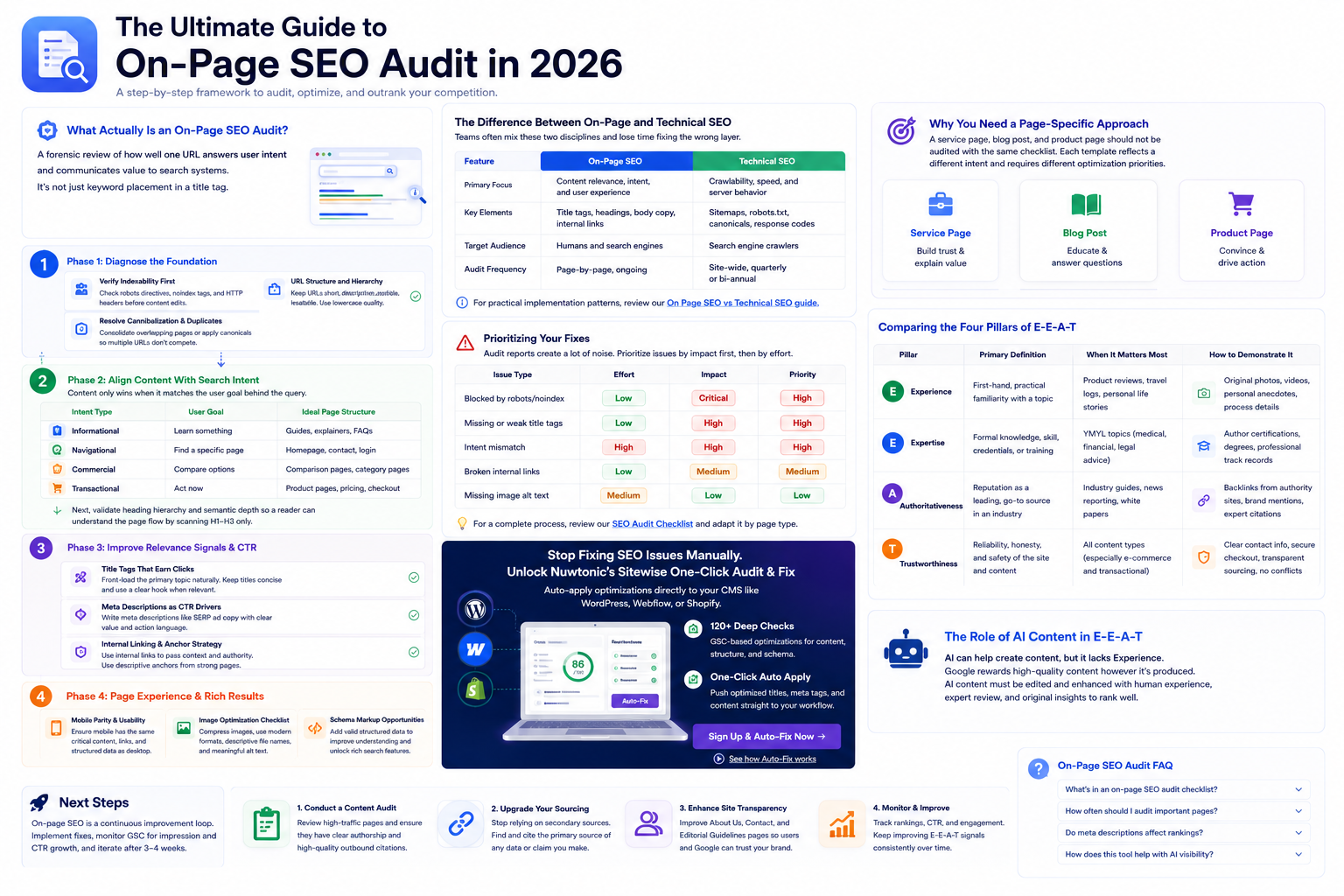
The Difference Between On-Page and Technical SEO
Teams often mix these two disciplines and lose time fixing the wrong layer. On-page SEO improves meaning and conversions; technical SEO ensures crawling, indexing, and delivery.
| Feature | On-Page SEO | Technical SEO |
|---|---|---|
| Primary Focus | Content relevance, intent, and user experience | Crawlability, speed, and server behavior |
| Key Elements | Title tags, headings, body copy, internal links | Sitemaps, robots.txt, canonicals, response codes |
| Target Audience | Humans and search engines | Search engine crawlers |
| Audit Frequency | Page-by-page, ongoing | Site-wide, quarterly or bi-annual |
For practical implementation patterns, review our On Page SEO vs Technical SEO guide.
Why You Need a Page-Specific Approach
A service page, blog post, and product page should not be audited with the same checklist. Each template reflects a different intent and requires different optimization priorities.
Phase 1: Diagnose the Foundation
Verify Indexability First
Check robots directives, noindex tags, and HTTP headers before content edits. If a page cannot be indexed, content quality will not matter.
URL Structure and Hierarchy
- Keep URLs short, descriptive, and readable.
- Avoid unnecessary parameters for core pages.
- Use lowercase slugs and hyphen-separated words.
Resolve Cannibalization and Duplicates
Consolidate overlapping pages or apply canonicals so multiple URLs do not compete for the same query intent.
Phase 2: Align Content With Search Intent
Content only wins when it matches the user goal behind the query.
| Intent Type | User Goal | Ideal Page Structure |
|---|---|---|
| Informational | Learn something | Guides, explainers, FAQs |
| Navigational | Find a specific page | Homepage, contact, login |
| Commercial | Compare options | Comparison pages, category pages |
| Transactional | Act now | Product pages, pricing, checkout |
Next, validate heading hierarchy and semantic depth so a reader can understand the page flow by scanning H1-H3 only.
Phase 3: Improve Relevance Signals and CTR
Title Tags That Earn Clicks
- Front-load the primary topic naturally.
- Keep titles concise enough to avoid truncation.
- Use a clear hook when relevant (year, specificity, outcome).
Meta Descriptions as CTR Drivers
Meta descriptions are not a direct ranking factor, but they significantly influence click-through rate. Write them like SERP ad copy with clear value and action language.
Internal Linking and Anchor Strategy
Use internal links to pass context and authority. Prioritize links from strong pages to newly optimized URLs using descriptive anchors.
Phase 4: Page Experience and Rich Results
Mobile Parity and Usability
Verify that mobile has the same critical content, links, and structured data as desktop to avoid hidden relevance loss.
Image Optimization Checklist
- Compress heavy images and prefer modern formats where possible.
- Use descriptive, readable file names.
- Write alt text for accessibility and context, not keyword stuffing.
Schema Markup Opportunities
Add valid structured data to improve interpretation and eligibility for rich search features.
Prioritizing Your Fixes
Audit reports create a lot of noise. Prioritize issues by impact first, then by effort.
| Issue Type | Effort | Impact | Priority |
|---|---|---|---|
| Blocked by robots/noindex | Low | Critical | High |
| Missing or weak title tags | Low | High | High |
| Intent mismatch | High | High | High |
| Broken internal links | Low | Medium | Medium |
| Missing image alt text | Medium | Low | Low |
For a complete process, review our SEO Audit Checklist and adapt it by page type.
Stop Fixing SEO Issues Manually.
Unlock Nuwtonic's Sitewise One-Click Audit & Fix to auto-apply optimizations directly to your CMS like WordPress, Webflow, or Shopify.
120+ Deep Checks
GSC-based optimizations for content, structure, and schema.
One-Click Auto Apply
Push optimized titles, meta tags, and content straight to your publishing workflow.
Next Steps
On-page SEO is a continuous improvement loop. After implementing fixes, monitor Google Search Console for impression growth and CTR improvement. Let changes settle for 3 to 4 weeks before running another major iteration.
If you are scaling this across many URLs, combine this audit with automation workflows so your team can focus on strategy instead of repetitive checks.
On-Page SEO Audit FAQ
What should be included in an on-page SEO audit checklist?
A complete checklist includes indexability checks, intent validation, title and meta optimization, heading hierarchy review, content depth analysis, internal linking, image optimization, and schema validation.
How often should I audit important pages?
Review your highest-traffic pages quarterly. For the rest of your site, a bi-annual review is usually enough unless rankings, impressions, or CTR drop suddenly.
Do meta descriptions directly affect rankings?
Not directly. However, better meta descriptions can improve click-through rate (CTR), which helps your snippet compete better in search results.
How does this tool help with AI search visibility?
It checks heading clarity, metadata quality, content structure, and semantic relevance so your pages are easier for AI systems and search engines to parse, trust, and cite.
Further References
Use these primary resources to validate implementation details and keep your on-page audits aligned with current search documentation.
Try our other free SEO and AI tools
We have gathered some of our free tools that might help you in your SEO efforts.
Filter what tools to see
Free Meta Title Generator
Generate high-CTR title tags optimized for Google search results using AI-driven templates.
Free Keyword Clustering Tool
Group related keywords into clear topic clusters and build a stronger topical SEO plan.
AI Overview Keyword Finder
Detect keywords that trigger AI overviews and assess citation opportunities with volatility signals.
Low Competition Keyword Finder
Find weak SERPs, forum-heavy opportunities, and keywords where lower-authority sites can still win.
Reddit Keyword Finder
Extract recurring questions, pain points, and buying intent patterns from Reddit and forums.
Question Keyword Tool
Find FAQ-style keywords and common user questions.
Buyer Intent Keyword Finder
Specifically filters for commercial and transactional keywords.
Zero Search Volume Keyword Finder
Uncovers emerging or hidden keywords that traditional volume tools miss.
Free SEO Title Length Checker
Check if your page titles fit within pixel limits to avoid truncation.
Free Meta Description Generator
Create compelling meta descriptions that summarize your content and boost click-through rates.
Free Meta Description Length Checker
Check if your meta descriptions fit within pixel limits to avoid truncation.
Free Google SERP Preview Tool
Simulate how your page title and meta description may appear in Google search results.
Free Schema Markup Checker
Validate your structured data to ensure it is readable by search engines and error-free.
Free Rich Results Test
Determine if your page is eligible for rich results in Google Search with our validation tool.
Free Alt Text Checker
Identify missing, empty, or duplicate alt text values across images.
Free AI Alt Text Generator
Generate descriptive, accessibility-compliant alt text for your images instantly.
Free Image Filename Generator
Convert plain text into SEO-friendly, hyphenated image filenames.
Free H1 Tag Checker
Identify the presence and content of H1 heading tags on any webpage.
Free Heading Structure Checker
Audit your H1-H6 tags to ensure a logical and SEO-friendly document structure.
Free Canonical URL Checker
Identify declared canonical URLs and analyze canonical-related signals on any page.
Free EEAT Audit Tool
Analyze your content for Google's Experience, Expertise, Authoritativeness, and Trustworthiness signals.
Free AIO & GEO Audit Tool
Optimize your content for AI Overviews and Search Generative Experience with a detailed formatting audit.
Free Broken Link Checker
Scan a page to identify links that return error responses or cannot be reached.
Free Redirect Checker
Analyze URL redirection behavior to identify redirect types and destination URLs.
Latest SEO and AI related articles
Browse all articles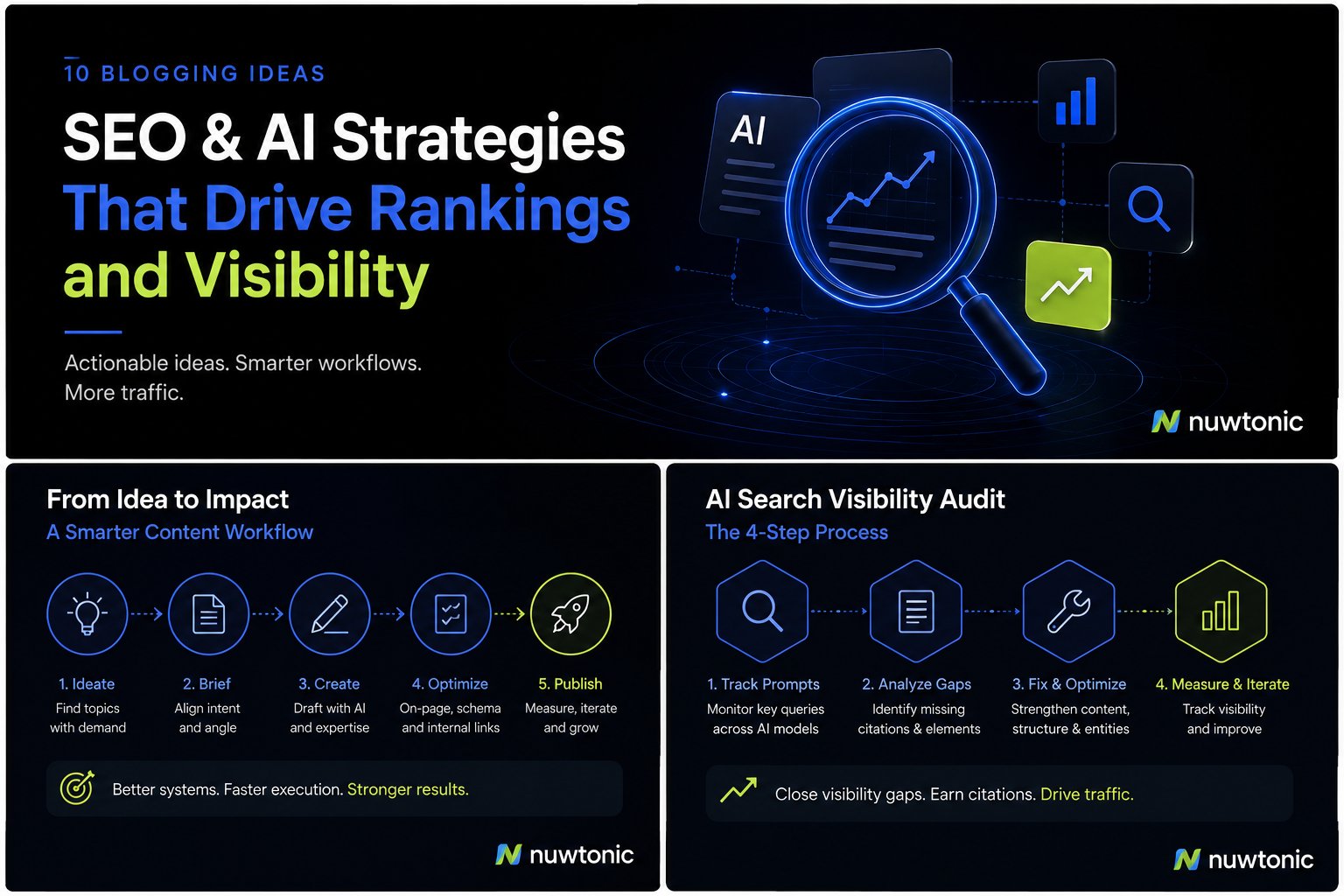
10 Ideas for Blogging: AI-Driven SEO and Content Strategies
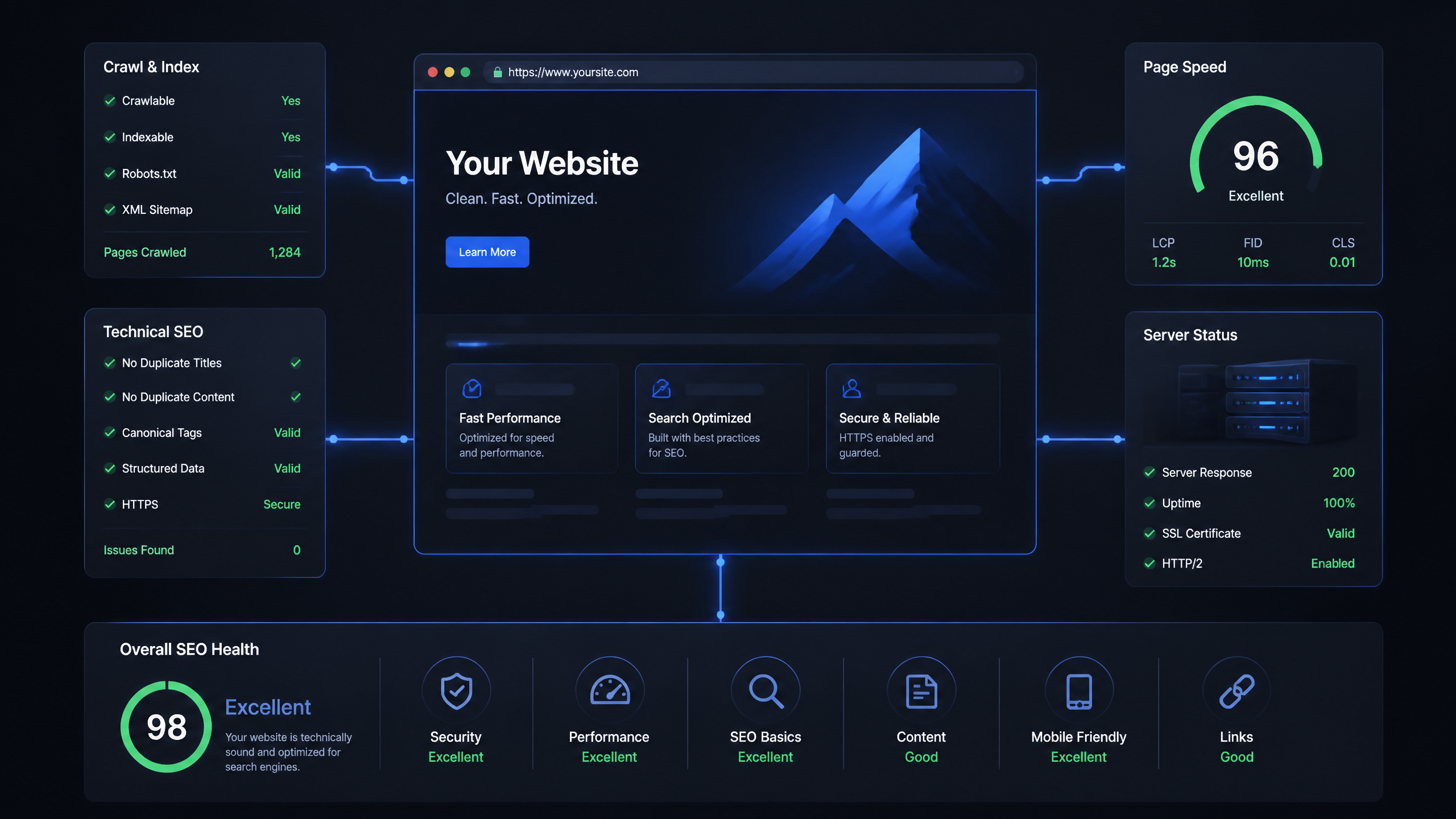
Technical SEO Ranking Factors: Hands On Guide

Technical SEO Types: Core Pillars of Site Health

Technical SEO for SaaS: A to Z Hands On Playbook
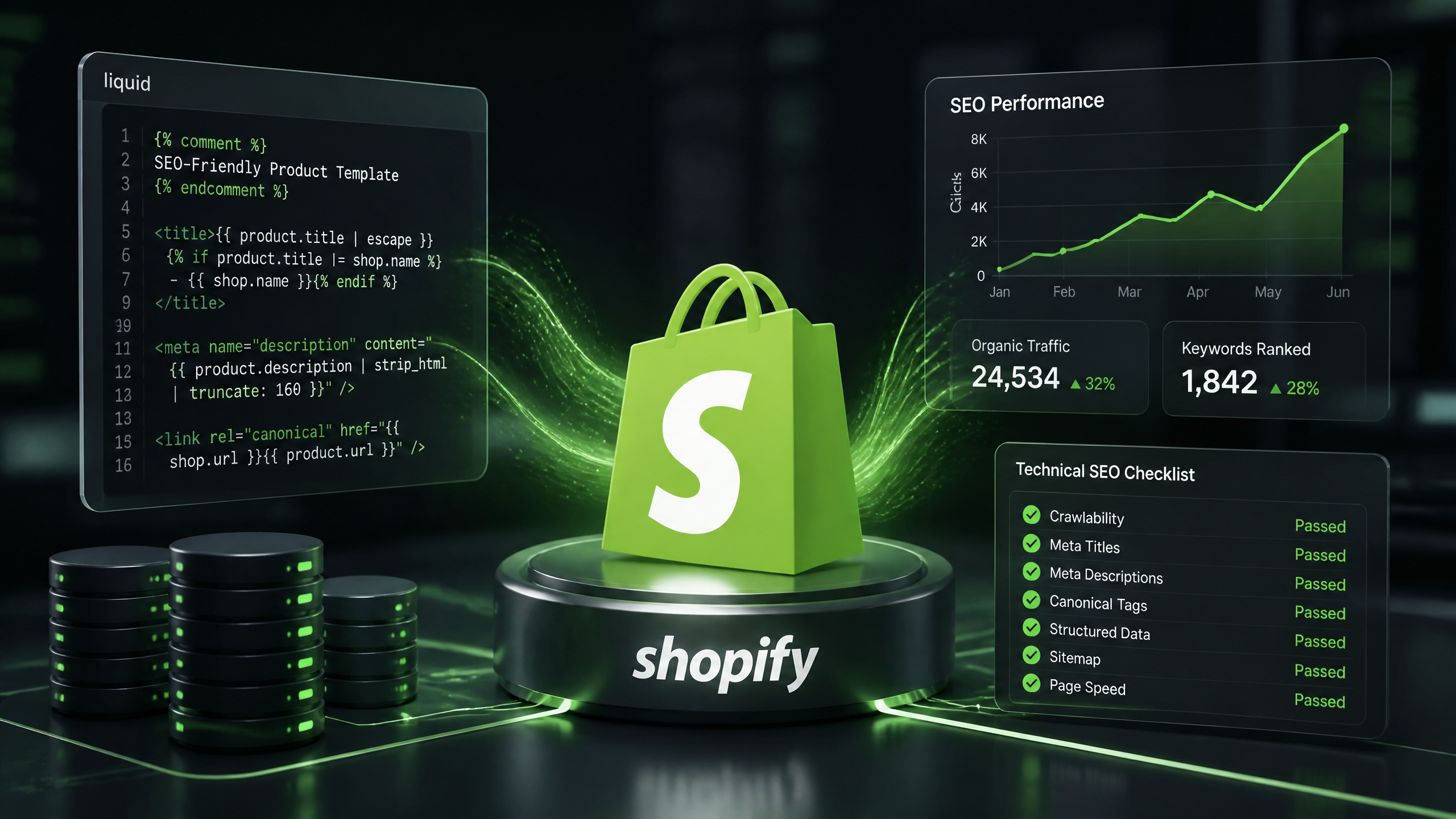
Technical SEO for Shopify: The No-Nonsense Playbook