
We are launching on AppSumo soon. Join the waitlist to get first access to our best lifetime deal, plus an additional insane early-bird bonus offer.
- Early deal-live alert so you can act before the crowd
- Priority onboarding request link for faster time-to-value
- Exclusive Week-1 SEO and GEO execution checklist
Founder-list bonuses are limited and sent only to confirmed subscribers. No spam. We only send launch updates and deal access details.
Free H1 Tag Checker
Instantly audit any webpage for H1 tag presence, count, and text. Verify your primary heading follows on-page SEO best practices and supports clear content hierarchy.
Demystifying the H1 Tag: The Gateway to On-Page SEO
If you have spent more than five minutes dipping your toes into the world of digital marketing, you have likely heard self-proclaimed gurus throw around technical terms like they are candy. But let us strip away the noise and focus on one of the absolute pillars of website optimization: the humble H1 tag. In my eight years of helping brands navigate the messy waters of search rankings, I have noticed a recurring theme. A lot of people underestimate the importance of the H1 tag—it is the first thing search engines look at for context. If you get this wrong, you are essentially building a house on a foundation of sand. Let us break down exactly what this element is and why it deserves your undivided attention.
What is an H1 Tag in SEO?
At its core, an H1 tag is an HTML element used to identify the most important heading on a webpage. In the hierarchy of web design, it represents the primary topic of your page. Think of it as the headline of a newspaper article; it tells both your human readers and search engine crawlers exactly what they are about to consume. In terms of what is on-page SEO, the H1 tag serves as a powerful signal. When Google's search spiders crawl your site, they do not see the beautiful layout or custom graphics first. They see raw HTML code. The H1 tag acts as a giant signpost that says, "Hey, look here! This is what this entire page is about."
Why the H1 Tag Matters to Search Engines
Search engines are in the business of delivering the most relevant answers to user queries. To do this efficiently, they must understand the context of your content instantly. I have seen sites ranking lower simply because they ignored basic HTML structure, and the H1 is a huge part of that. If your code is a disorganized mess of random font sizes and missing tags, search engines will struggle to index your content accurately.
- Contextual Clarity: The H1 tag provides an immediate thematic anchor for search engine bots.
- User Experience (UX): A clear, descriptive H1 reassures visitors that they have landed on the right page, reducing bounce rates.
- Accessibility: Screen readers use heading hierarchies to help visually impaired users navigate your site.
The Anatomy of an HTML Heading Tag
Under the hood, an H1 tag is incredibly simple. It is wrapped in opening <h1> and closing </h1> tags. Here is what it looks like in its native habitat:
<h1>What is an H1 Tag and Why Does It Matter?</h1>Without this simple wrapper, search engine crawlers have to guess which block of text represents your main topic. Honestly, why would you leave your organic traffic to guesswork?
Why Use Our H1 Checker?
Nuwtonic's H1 Checker is designed for precision. We do not just count tags; we extract the content to help you verify if your primary keywords are correctly placed in the most important heading on the page.
The Power of the H1 Tag in SEO
The H1 tag is typically the most important heading on a page. It serves as a strong signal to search engines about the page's core topic. Proper H1 usage improves readability and helps establish a clear topical authority.
What is an H1 Tag Checker?
An H1 tag checker is an SEO diagnostic tool that scans a webpage's HTML to identify the <h1> element. It verifies its existence, counts how many times it appears, and displays the text content within the tag.
Recommended guides
Use these guides to fix the issues you found and improve your SEO performance.
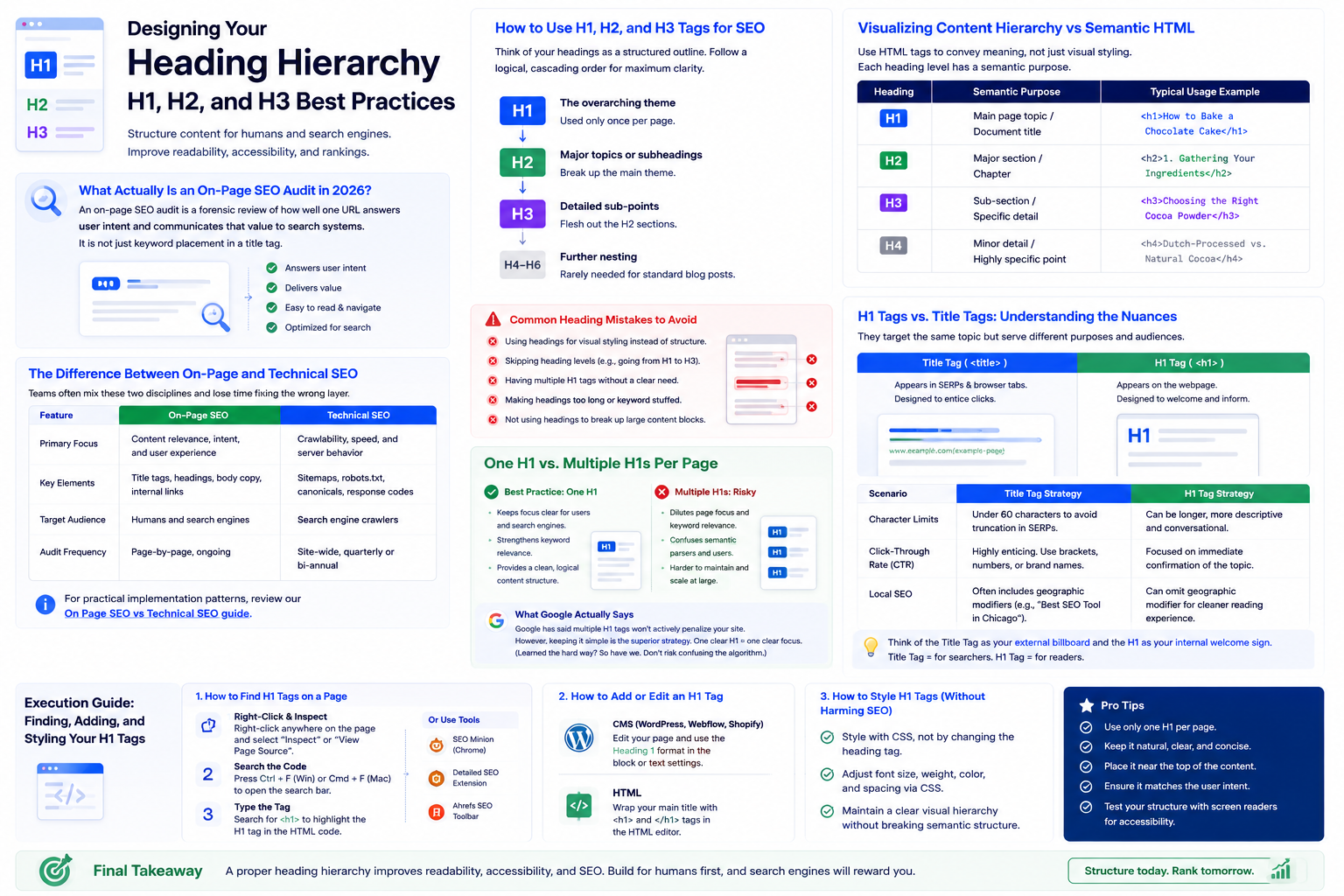
Designing Your Heading Hierarchy: H1, H2, and H3 Best Practices
Creating a webpage without a clear heading hierarchy is like writing a textbook without chapters, subchapters, or index pages. It is a chaotic mess that will alienate your readers and frustrate search engines. To prevent this, you need to establish a logical flow that guides users through your ideas.
How to Use H1, H2, and H3 Tags for SEO
Think of your heading tags as a structured outline. Your H1 is the title of your book. Your H2 tags are the individual chapters. Your H3 tags are the sub-sections within those chapters. To keep your content organized and highly readable, you should follow a strict cascading order:
- H1The overarching theme (used only once).
- H2Major topics or subheadings that break up the main theme.
- H3Detailed sub-points that flesh out the H2 sections.
- H4-H6Further nesting, though rarely needed for standard blog posts.
Visualizing Content Hierarchy vs Semantic HTML
When we talk about heading structure vs semantic HTML, we are talking about using HTML tags to convey meaning rather than just visual styling. Do not use an H2 tag just because you want the text to look bigger; use it because it is a logical subtopic of your H1.
| Heading Level | Semantic Purpose | Typical Usage Example |
|---|---|---|
| H1 | Main page topic / Document title | <h1>How to Bake a Chocolate Cake</h1> |
| H2 | Major section / Chapter | <h2>1. Gathering Your Ingredients</h2> |
| H3 | Sub-section / Specific detail | <h3>Choosing the Right Cocoa Powder</h3> |
| H4 | Minor detail / Highly specific point | <h4>Dutch-Processed vs. Natural Cocoa</h4> |
Common Heading Mistakes to Avoid
The most common blunder I see is the "visual styling shortcut." This is when a content creator highlights a sentence and marks it as an H2 or H3 simply because they like the font size or bold styling. Do not do this. Another classic error is skipping levels—going straight from an H1 to an H3 without an H2 in between. It confuses the semantic parser of search engines and breaks the natural reading flow for users using assistive technologies.
One H1 vs. Multiple H1s Per Page
If you hang out in digital marketing forums long enough, you will eventually run into a heated debate about how many H1 tags you should actually use on a single page. Let us clear the air and look at both the technical reality and the practical best practices.
How Many H1 Tags Per Page for SEO?
Most tutorials make it sound way more complicated than it is; just remember, one H1 per page is the way to go. Yes, modern HTML5 technically allows for multiple H1 tags if they are nested within separate sectional elements (like <article> or <section>). But just because you can do something does not mean you should. Using a single H1 tag per page is a clean, foolproof approach. It concentrates your page's thematic authority into one clear headline.
The Risk of Over-optimization and Keyword Density
When you stuff multiple H1 tags onto a single page, you risk diluting your keyword relevance. Search engines might struggle to identify the primary focus of the page. If you are dealing with a site that has evolved over time, you may have accumulated technical debt. If you find yourself in this situation, you will need to learn how to fix duplicate H1 tags to clean up your site's structure and restore its SEO health.
What Google Actually Says About Multiple H1s
Officially, Google's Webmaster trends analysts have stated that having multiple H1 tags on a page will not actively penalize your site. The algorithms are smart enough to parse the page anyway. However, in my experience, keeping it simple is always the superior strategy. Honestly, I learned this the hard way—like the time I forgot to set an H1 on a critical landing page and lost traffic for weeks because search engines could not figure out the page's core focus. Why take the risk of confusing the algorithm? Stick to one H1.
H1 Tags vs. Title Tags: Understanding the Nuances
One of the most frequent points of confusion for SEO beginners is distinguishing between the H1 tag and the meta title tag. They both represent the title of your page, so they must be the same thing, right? Not quite.
Should H1 and Title Tag Be Different?
The short answer is: they can be, and often should be slightly different. While they should target the same core keyword and cover the same topic, they serve two entirely different audiences and display environments.
The Title Tag (<title>)
This is what appears in the search engine results pages (SERPs) and on the browser tab. It is designed to entice searchers to click on your link.
The H1 Tag (<h1>)
This is what appears on the actual webpage itself. It is designed to welcome the user and introduce the content once they have already clicked.
| Scenario | Title Tag Strategy | H1 Tag Strategy |
|---|---|---|
| Character Limits | Must be under 60 characters to avoid truncation in SERPs. | Can be longer, more descriptive, and conversational. |
| Click-Through Rate (CTR) | Needs to be highly enticing, often including brackets, numbers, or brand names. | Focused on immediate confirmation of the topic. |
| Local SEO | Often includes geographic modifiers (e.g., "Best SEO Tool in Chicago"). | Can omit the geographic modifier for a cleaner reading experience. |
How They Appear in SERPs and Browser Tabs
Think of the Title Tag as your external billboard and the H1 tag as your internal welcome sign. The Title Tag is optimized for searchers who are scanning the SERPs, while the H1 tag is optimized for users who are already on your website and ready to read.
Execution Guide: Finding, Adding, and Styling Your H1 Tags
Now that you understand the theory, let us roll up our sleeves and look at the practical implementation. Whether you are auditing an existing site or building a new one from scratch, here is how to handle H1 tags.
How to Find H1 Tags on a Page
You do not need expensive software to find the H1 tag on a webpage. You can do it right from your browser using these simple steps:
- 1
Right-Click and Inspect: Right-click anywhere on the page and select "Inspect" or "View Page Source".
- 2
Search the Code: Press Ctrl + F (Windows) or Cmd + F (Mac) to open the search bar.
- 3
Type the Tag: Search for <h1>. This will highlight the H1 tag in the HTML code.
Alternatively, you can use free browser extensions like "Detailed SEO Extension" or "SEO Minion" to see all heading tags on a page with a single click—or run this free H1 tag checker for instant results.
How to Add H1 Tag in WordPress
If you are using WordPress, the platform makes handling H1 tags incredibly intuitive.
How to Style H1 Tag in CSS
Your H1 should be visually distinct from the rest of your text. To achieve this without ruining your semantic HTML structure, you must use Cascading Style Sheets (CSS). Here is a simple example of how to style your H1 tag to make it bold, centered, and visually appealing:
h1 {
  font-size: 2.5rem;
  font-weight: 700;
  color: #1a1a1a;
  text-align: center;
  line-height: 1.2;
  margin-bottom: 1.5rem;
}
By styling your H1 in your CSS stylesheet, you keep your HTML clean and maintain a consistent design across your entire website.
On-Page Audit Scope
This tool evaluates the presence of H1 tags, the total count of H1 elements on a page, and extracts the text content for SEO review.
How to Audit Your H1 Tags
Enter a page URL or paste your HTML code.
Run the check to scan the header tags.
Verify that there is exactly one H1 tag per page.
Check that the H1 text contains your primary target keyword.
Understanding Your H1 Results
Single H1 Found
Your page follows SEO best practices with one clear primary heading.
Missing H1
Critical: Your page lacks an H1 tag, which can confuse search engines about your topic.
Multiple H1s
Warning: Having more than one H1 can dilute your ranking signals and break hierarchy.
Empty H1
The tag exists but has no text, providing no SEO or accessibility value.
Audit Limitations
This tool focuses specifically on the H1 tag. For a full outline of your page's H2-H6 tags, use our comprehensive Heading Structure Checker.
Frequently Asked Questions About H1 Tags
Common H1 Tag SEO Questions Answered
Can an H1 tag be an image?
Technically, yes, you can wrap an image in an H1 tag. However, from an SEO perspective, this is highly discouraged. Search engines prefer text because it is easier to read and interpret. If you absolutely must use an image logo as your H1, make sure to include a highly descriptive alt attribute so search engines have some text context to work with.
Does the length of an H1 tag affect SEO?
There is no strict character limit for H1 tags like there is for Title tags. However, best practices dictate that your H1 should be concise and readable. A heading that is three paragraphs long defeats the purpose of being a heading. Keep it punchy, clear, and focused on your core keyword.
What is the difference between H1 and H2 tags?
The difference lies entirely in their hierarchical weight. The H1 is the primary title of the page, while H2 tags are the secondary headings used to break the content into logical sections. You should only have one H1 tag per page, but you can have as many H2 tags as your content requires.
Does the H1 tag affect rankings?
Yes. It is one of the strongest on-page ranking factors as it tells search engines what the most important content on the page is.
Where should the H1 tag be placed?
The H1 should ideally be placed near the top of the page, above the main content, acting as the title for the article or page.
Try our other free SEO and AI tools
We have gathered some of our free tools that might help you in your SEO efforts.
Filter what tools to see
Free Meta Title Generator
Generate high-CTR title tags optimized for Google search results using AI-driven templates.
Free Keyword Clustering Tool
Group related keywords into clear topic clusters and build a stronger topical SEO plan.
AI Overview Keyword Finder
Detect keywords that trigger AI overviews and assess citation opportunities with volatility signals.
Low Competition Keyword Finder
Find weak SERPs, forum-heavy opportunities, and keywords where lower-authority sites can still win.
Reddit Keyword Finder
Extract recurring questions, pain points, and buying intent patterns from Reddit and forums.
Question Keyword Tool
Find FAQ-style keywords and common user questions.
Buyer Intent Keyword Finder
Specifically filters for commercial and transactional keywords.
Zero Search Volume Keyword Finder
Uncovers emerging or hidden keywords that traditional volume tools miss.
Free SEO Title Length Checker
Check if your page titles fit within pixel limits to avoid truncation.
Free Meta Description Generator
Create compelling meta descriptions that summarize your content and boost click-through rates.
Free Meta Description Length Checker
Check if your meta descriptions fit within pixel limits to avoid truncation.
Free Google SERP Preview Tool
Simulate how your page title and meta description may appear in Google search results.
Free Schema Markup Checker
Validate your structured data to ensure it is readable by search engines and error-free.
Free Rich Results Test
Determine if your page is eligible for rich results in Google Search with our validation tool.
Free Alt Text Checker
Identify missing, empty, or duplicate alt text values across images.
Free AI Alt Text Generator
Generate descriptive, accessibility-compliant alt text for your images instantly.
Free Image Filename Generator
Convert plain text into SEO-friendly, hyphenated image filenames.
Free On-Page SEO Audit Tool
Run an on-page SEO audit for SEO services pages, technical SEO audit checks, and SEO optimization improvements.
Free Heading Structure Checker
Audit your H1-H6 tags to ensure a logical and SEO-friendly document structure.
Free Canonical URL Checker
Identify declared canonical URLs and analyze canonical-related signals on any page.
Free EEAT Audit Tool
Analyze your content for Google's Experience, Expertise, Authoritativeness, and Trustworthiness signals.
Free AIO & GEO Audit Tool
Optimize your content for AI Overviews and Search Generative Experience with a detailed formatting audit.
Free Broken Link Checker
Scan a page to identify links that return error responses or cannot be reached.
Free Redirect Checker
Analyze URL redirection behavior to identify redirect types and destination URLs.
Latest SEO and AI related articles
Browse all articles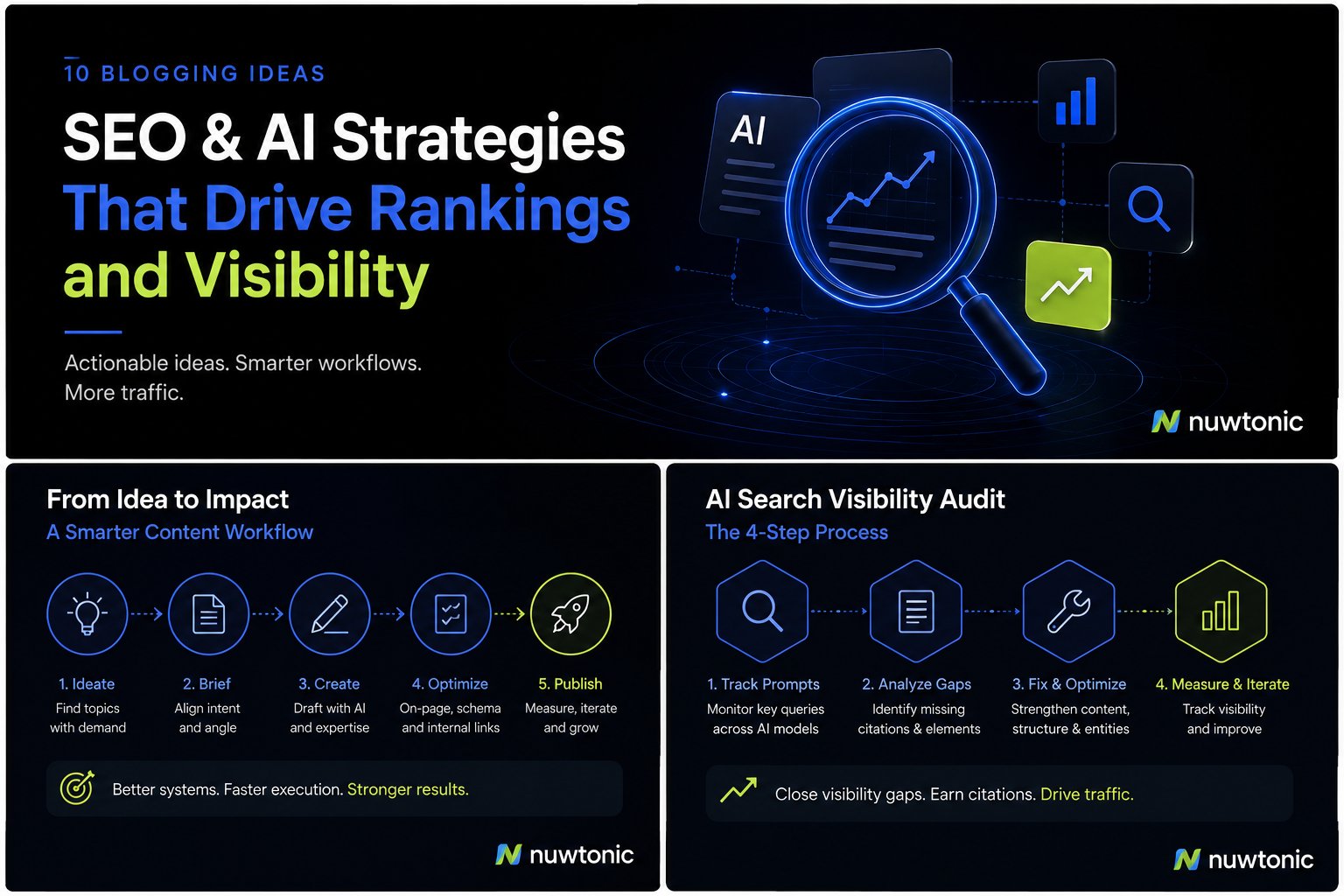
10 Ideas for Blogging: AI-Driven SEO and Content Strategies
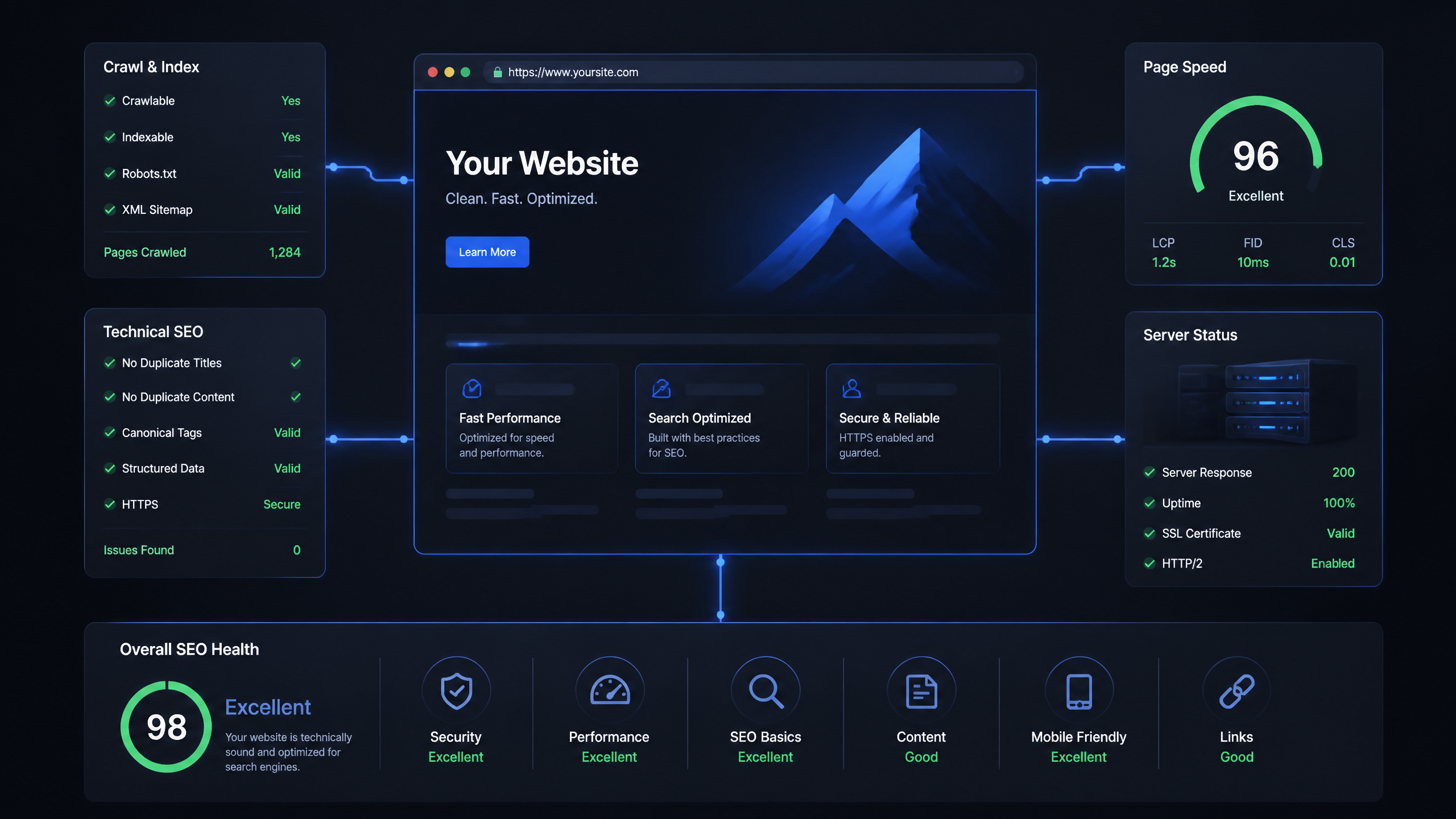
Technical SEO Ranking Factors: Hands On Guide

Technical SEO Types: Core Pillars of Site Health

Technical SEO for SaaS: A to Z Hands On Playbook

Technical SEO for Shopify: The No-Nonsense Playbook